Lightweight Windows screen recorder for full-screen or selected-area capture, with system audio, microphone, H.264/H.265 and up to 120 FPS.

SimpleScreenRecorder is described as 'Linux screen recorder that supports X11 and OpenGL. It is easy to use, feature-rich, and has a Qt-based graphical user interface. It can record the entire screen or part of it, or record OpenGL applications directly' and is a very popular Screen Recorder in the video & movies category. There are more than 100 alternatives to SimpleScreenRecorder for a variety of platforms, including Windows, Mac, Linux, Web-based and Google Chrome apps. The best SimpleScreenRecorder alternative is OBS Studio, which is both free and Open Source. Other great apps like SimpleScreenRecorder are ShareX, OpenScreen, Recordly and Bandicam.
Lightweight Windows screen recorder for full-screen or selected-area capture, with system audio, microphone, H.264/H.265 and up to 120 FPS.

Limelight is a native macOS screen recorder built for tutorials and product demos. Hit record and it automatically zooms into every click, smooths your cursor, and renders a clean background — then bakes your keystrokes, a cursor spotlight, and freehand annotations right into...


Chrome extension for recording screen, webcam, and audio. Capture screenshots, blur or highlight content, trim videos, add notes, auto-save to a dashboard, share via link, and organize files. Supports pause, resume, download, and is suitable for professional or personal use.


Free Chrome extension for screen recording with no time limit, no watermark, and no sign-up. All recordings stay on your computer.


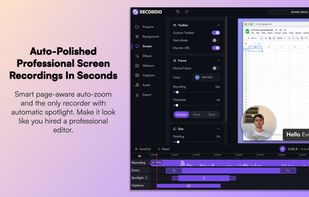
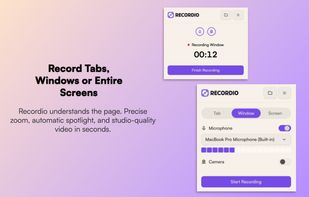
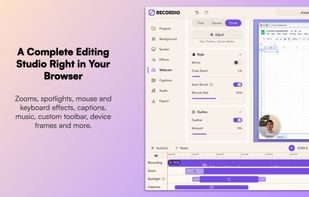
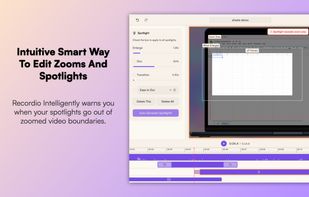
Videoyards is a lightweight, browser-based screen recorder that helps Chrome users create professional-quality demos without the need for bulky desktop software. It combines instant recording with smart editing features like auto zoom, cursor highlighting, and camera/microphone...


Meetzi.app simplifies software documentation for technical writers. Record screen or audio demos, generate raw or structured transcripts with timestamps, and preview thumbnails for fast navigation. Copy-paste transcripts into Notion or Confluence to create precise guides in minutes.

Screeny gives you the freedom to capture your videos or images at any size. You can click & drag to resize the capture area or input the exact pixel dimensions to set to the size of the capture area.