Shutter Alternatives for Mac

Shutter is not available for Mac but there are plenty of alternatives that runs on macOS with similar functionality. The best Mac alternative is Flameshot, which is both free and Open Source. If that doesn't suit you, our users have ranked more than 50 alternatives to Shutter and many of them are available for Mac so hopefully you can find a suitable replacement. Other interesting Mac alternatives to Shutter are Greenshot, Ksnip, Snagit and Lightshot.

Copy a direct link to this comment to your clipboard
Shutter alternatives page was last updated

Alternatives list

  1. Flameshot icon
     255 likes

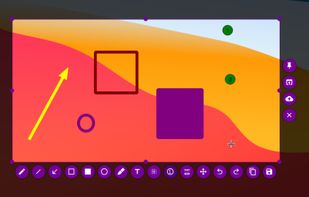
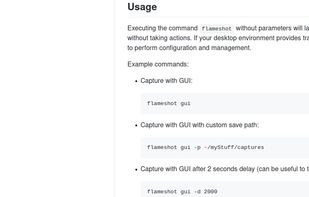
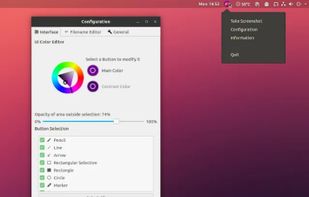
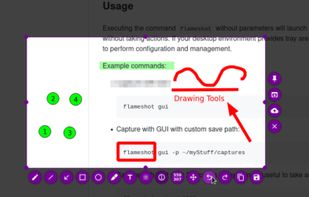
    Flameshot is a free, open-source screenshot tool that is cross-platform compatible, offering customization, editing features, CLI scripting, and direct Imgur uploads for seamless sharing. It provides an intuitive user experience through features like area selection, annotations, and saving options.

    77 Flameshot alternatives

    Cost / License

    Application type

    Platforms

    • Mac
    • Windows
    • Linux
    • Flathub
    • Snapcraft
     
    |
    2
    Flameshot vs Shutter Comments
    Starbeamrainbowlabs
    Positive
    2

    It does screenshotting well, and has a smooth UI. I'd like to see some additional features like changing the colour of rectangles, a pixelating tool, and a slider for the blur amount though.

    Guest
    Positive
    -2

    great standalone app, shutter requieres too many extra apps

    Review by a new / low-activity user.
    • Flameshot is Free and Open SourceShutter is also Free and Open Source
    • Flameshot is Lightweight, Customizable and Privacy focusedShutter is not according to our users
  2. Greenshot icon
     716 likes

    Lightweight screenshot tool offering OCR, exports to Office apps and online storage, integration with external commands, supporting 32 languages and minimal space requirement.

    212 Greenshot alternatives

    Cost / License

    Application type

    Platforms

    • Mac
    • Windows
     
  3. Ksnip icon
     66 likes

    Ksnip is a Qt based cross-platform screenshot tool that provides many annotation features for your screenshots.

    61 Ksnip alternatives

    Cost / License

    Application type

    Platforms

    • Mac
    • Windows
    • Linux
    • Snapcraft
    • Flathub
     
    |
    1
    Ksnip vs Shutter Comments
    gppixelworks
    Positive
    1

    Better editing functions than other software currently available. However I found Shutter (now discontinued) superior to any replacements I've used.

    • Ksnip is Free and Open SourceShutter is also Free and Open Source
    • Ksnip is Lightweight, Customizable and Privacy focusedShutter is not according to our users
  4. Snagit icon
     200 likes

    Advanced screen capture and recording tool enabling image or video captures directly from your screen. Includes editing features like callouts, transparency, and effects to enhance visuals. Organize and easily share creations through documents, presentations, or favorite applications.

    205 Snagit alternatives

    Cost / License

    • Paid
    • Proprietary

    Platforms

    • Mac
    • Windows
     
  5. Lightshot icon
     208 likes

    Captures selectable screen regions for Windows and Mac, offers instant uploading, quick editing, and sharing through short URLs, supports saving locally, annotating, clipboard copying, browser add-ons, upload history access, and operates without heavy system use.

    187 Lightshot alternatives

    Cost / License

    • Free
    • Proprietary

    Application type

    Alerts

    • Warning
    • Bundleware

    Platforms

    • Mac
    • Windows
    • Google Chrome
    • Wine
    • Mozilla Firefox
     
  6. Snipaste icon
     31 likes

    Snipaste is a simple but powerful snipping tool, and also allows you to pin the screenshot back onto the screen. Snip. Then paste. Free. Customizable. Portable.

    58 Snipaste alternatives

    Cost / License

    • Freemium
    • Proprietary

    Application type

    Platforms

    • Mac
    • Windows
     
  7. Zight icon
     162 likes

    Enables screen and webcam capture, detailed video and screenshot editing, organized meeting notes, AI-powered transcription, and cloud-based instant sharing of annotated visual content via direct links or drag-and-drop integration with communication apps on Windows and Mac.

    Cost / License

    • Freemium
    • Proprietary

    Application type

    Platforms

    • Mac
    • Windows
    • Online
    • Jira
    • Trello
    • Zendesk
     
  8. ScreenFloat icon
     3 likes

    Maximize productivity on Mac with intuitive screen captures, Picture in Picture, and versatile annotation capabilities.

    Cost / License

    • Paid
    • Proprietary

    Platforms

    • Mac
     
  9. Capto icon
     7 likes

    Capture HD video at 60 FPS, record iOS devices, and edit screen or image content with annotation, voiceover, and advanced file management. Includes fullscreen, selection, and web capture, quick sharing to cloud, FTP, YouTube, and fast search for Mac users.

    148 Capto alternatives

    Cost / License

    • Paid
    • Proprietary

    Platforms

    • Mac
    • Windows
     
  10. ScreenCloud icon
     21 likes

    ScreenCloud is an easy to use screenshot sharing application. Take a screenshot using one of the 3 hotkeys or simply click the ScreenCloud tray icon. You can choose where you want to save your screenshot.

    Cost / License

    Application type

    Alerts

    • Discontinued

    Platforms

    • Mac
    • Windows
    • Linux
    • Online
     
  11. As an innovative software, Screen Grabber Pro involves screen capture solutions for increasing the communication efficiency and also helps improve your productivity at work. You’re enabled to perform quick snapshots as well as screen recording.

    Cost / License

    • Paid
    • Proprietary

    Application type

    Platforms

    • Mac
    • Windows
     
  12. Snip is a screen-capture application that can capture the active window or custom areas. Drag to zoom in/out the screen shot; add labels, texts and handwriting contents of your choice and save it to your device or the clipboard.

    Cost / License

    • Free
    • Proprietary

    Application type

    Platforms

    • Mac
     
12 of 26 Shutter alternatives