
Scumble icon
Scumble icon

Scumble

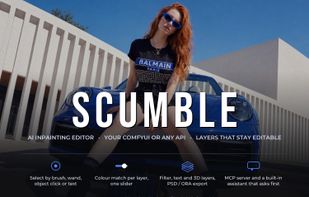
A free, open-source desktop editor for AI inpainting: select part of a picture, describe what should be there, and the result comes back as an editable, colour-matched layer.
Thumbnail

Cost / License

Platforms

  • Windows  Windows 10/11 (64-bit). To generate you need either your own API key for a supported provider or your own ComfyUI (local or remote); editing works without either.
  • Linux  AppImage and .deb builds are provided
0likes
0articles
Save

Features

Properties

  1.  AI-Powered

Features

  1.  Image to Image Generation
  2.  Portable
  3.  Drawing Tablet Support
  4.  Dark Mode
  5.  No Tracking
  6.  Built-in Color Picker
  7.  No registration required
  8.  Support for Layers
  9.  Custom Brushes
  10.  Non Destructive Editing
  11.  Works Offline
  12.  Hardware Accelerated
  13.  Text to Image Generation
  14.  Ad-free
  15.  Pressure Sensitivity
  16.  Image Upscaling
  17.  Open PSD files

Scumble News & Activities

Highlights All activities

Recent activities

Scumble information

AlternativeTo Categories

Photos & Graphics, AI Tools & Services, System & Hardware

GitHub repository

  •  55 Stars
  •  6 Forks
  •  0 Open Issues
  •   Updated  
View on GitHub
Scumble was added to AlternativeTo by Dennis-5303 on and this page was last updated .

No comments or reviews, maybe you want to be first?

Official Links

What is Scumble?

Scumble is a desktop image editor built around AI inpainting. Open a picture, select an area (brush, rectangle, lasso, magic wand, object hover or a text description), write a prompt and generate: the result lands as a layer over the selection, colour-matched to its surroundings, and can be blended, erased in parts, regenerated or stacked with filter and text layers.

Rendering runs locally on your own ComfyUI (on your PC or a remote GPU) or through API providers with your own key: FLUX 3 Image, FLUX.2, GPT Image, Nano Banana, Seedream, Qwen Image Edit, Ideogram and more. Object masks and background removal run inside the app. Further tools: upscaling, outpainting, reference images in the prompt, a film-look filter pack, plugins, and export with all layers to PSD or OpenRaster.

A built-in assistant and an MCP server let an AI agent drive the same editor step by step. No account needed; API keys stay in the operating system's credential store.

Windows (Microsoft Store, installer or portable zip). Free software under GPL-3.0. Early version (0.1.x).

Scumble Videos

Show 1 more video

