ScreenRec Alternatives

ScreenRec is described as 'If you spend too much time on email and chat, try sending instant video messages and screenshots with ScreenRec. You'll get your point across faster and save precious hours' and is a popular screenshot capture tool in the photos & graphics category. There are more than 100 alternatives to ScreenRec for a variety of platforms, including Windows, Mac, Linux, Web-based and Google Chrome apps. The best ScreenRec alternative is OBS Studio, which is both free and Open Source. Other great apps like ScreenRec are ShareX, Flameshot, OpenScreen and SimpleScreenRecorder.

Copy a direct link to this comment to your clipboard
ScreenRec alternatives page was last updated

Alternatives list

  1. Cap icon
     24 likes

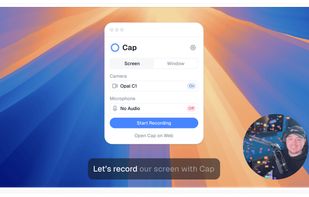
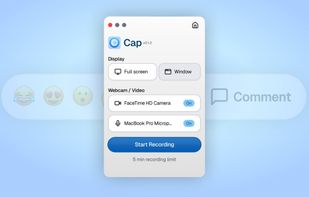
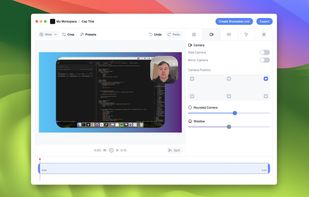
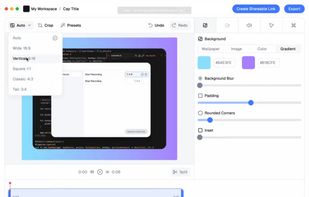
    Open-source tool for screen and camera capture with 4K recording, timeline editor, instant sharing via links, privacy controls, no signup, multiple layouts, custom branding, cursor options, threaded comments, self-hosting, and paid AI-powered features available.

    110 Cap alternatives

    Cost / License

    • Freemium
    • Open Source

    Platforms

    • Mac
    • Windows
     
  2. Kooha icon
     21 likes

    Capture your screen in an intuitive and straightforward way without distractions.

    Cost / License

    Application type

    Platforms

    • Linux
    • Flathub
    • Flatpak
     
  3. Screen Studio icon
     16 likes

    Record macOS screens with smoothed mouse movement, zoomed click highlights, cinematic motion blur, and customizable backgrounds while integrating webcam, microphone, system sound, and easy video editing. Output in HD for instructional and promotional videos.

    119 Screen Studio alternatives

    Cost / License

    • Paid
    • Proprietary

    Platforms

    • Mac
     
  4. CamStudio icon
     178 likes

    Record your computer screen with audio input from Mic or Speakers. Also shows mouse clicks in addition to the regular cursor. Simple interface with ability to record in AVI or export as swf.

    Cost / License

    • Free
    • Open Source

    Alerts

    • Warning

    Platforms

    • Windows
    • PortableApps.com
     
  5. ScreenFlow icon
     71 likes

    Capture the contents of your entire desktop at the same time as your video camera, microphone and computer's audio. Sophisticated editing tools allow you to create incredible screencasts in no time.

    Cost / License

    • Paid
    • Proprietary

    Platforms

    • Mac
     
  6. Loom icon
     34 likes

    Easy and free screen recorder for Mac, Windows, and Chromebooks. Record your camera and screen with audio directly from your Chrome browser and share the video with your team, friends, and family.

    242 Loom alternatives

    Cost / License

    • Freemium
    • Proprietary

    Platforms

    • Mac
    • Windows
    • Online
    • iPhone
    • Google Chrome
    • Android
    • Android Tablet
     
  7. Action! icon
     50 likes

    Action! enables HD, 4K, HDR10, and 8K streaming and recording, integrates fps displays, webcams, and live audio commentary. With overlays, monitoring tools, and benchmarking features, it offers a multifaceted solution for gaming capture.

    109 Action! alternatives

    Cost / License

    • Paid
    • Proprietary

    Platforms

    • Windows
    • Steam
     
  8. Boom Share AI icon
     21 likes

    Boom Share AI is a free asynchronous video messaging tool designed to enhance communication in business and productivity settings. It allows users to record video messages using their camera or screen, making it ideal for freelancers, remote teams, and agencies.

    58 Boom Share AI alternatives

    Cost / License

    • Free
    • Proprietary

    Platforms

    • Online
    • Android
    • iPhone
    • Android Tablet
    • iPad
     
  9. Xbox Game Bar icon
     21 likes

    Get to know Game Bar on Windows Open Game Bar to take control of all your favorite gaming activities while playing on your Windows 10/11 device.

    113 Xbox Game Bar alternatives

    Cost / License

    • Free Personal
    • Proprietary

    Platforms

    • Windows
     
  10. FlashBack icon
     38 likes

    Free software which lets you record your screen, add a PIP webcam and select multiple options to export your video to. It will first store a lossless proprietary file which you can review frame by frame and then easily experiment with the output options to select best suited.

    122 FlashBack alternatives

    Cost / License

    • Freemium
    • Proprietary

    Alerts

    • Discontinued

    Platforms

    • Windows
     
You are at page 2 of ScreenRec alternatives