Screen Story Alternatives

Screen Story is described as 'Video creation tool for MacOS that doesn't require advanced editing skills. It includes features such as Smooth Cursor for quality animation, AutoZoom and AutoFollow for automatic zoom animations, and Motion Blur for smoother videos' and is a screenshot capture tool in the photos & graphics category. There are more than 25 alternatives to Screen Story for a variety of platforms, including Mac, Windows, Web-based, Linux and Google Chrome apps. The best Screen Story alternative is ShareX, which is both free and Open Source. Other great apps like Screen Story are OpenScreen, ScreenArc, SimpleScreenRecorder and FastStone Capture.

Copy a direct link to this comment to your clipboard
Screen Story alternatives page was last updated

Alternatives list

  1. Supercut icon
     1 like

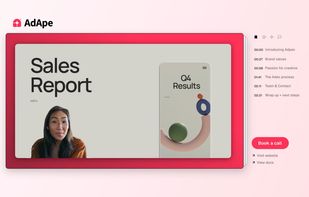
    Turns screen recordings into branded, shareable videos with composite, multi-layout recording, background removal, auto-chapters, analytics, captions, comments, call-to-actions, permissions, fast app workflow, HD export, and multi-language support.

    Cost / License

    • Freemium
    • Proprietary

    Application type

    Platforms

    • Online
    • Windows
    • Mac
     
  2. Tella.tv icon
     2 likes

    Web-based platform enabling screen and camera recordings with customizable layouts, overlays, clip-based editing, speaker notes, Unsplash backgrounds, transitions, and instant sharing. Compatible with Mac and PC, requires no installation, and offers flexible export options.

    Cost / License

    • Paid
    • Proprietary

    Platforms

    • Online
     
  3. Jumpshare icon
     32 likes

    Jumpshare is fast file sharing built into the menu bar. Just drag a file to the Jumpshare icon in the menu bar and a link will be copied to your clipboard instantly, ready to be shared. If you’re looking for a more personal way to share your files, you can email them directly...

    Cost / License

    • Freemium
    • Proprietary

    Platforms

    • Mac
    • Windows
    • Online
    • iPhone
     
  4. WebMCam icon
     1 like

    Capture frames in real-time and save them as WebM.

    Cost / License

    Application type

    Platforms

    • Windows
     
  5. ReClyp icon
     1 like

    Elegant screen recordings and video editor.

    Cost / License

    • Freemium
    • Proprietary

    Platforms

    • Google Chrome
    • Mozilla Firefox
    • Microsoft Edge
     
  6. Create Beautiful Screen Recordings without leaving your browser.

    Cost / License

    • Free
    • Proprietary

    Application type

    Platforms

    • Google Chrome
    • Online
     
  7. Poindeo icon
     Like

    Poindeo is an online video editor specializing in creating dynamic zoom effects for your screen recordings, images, and PDFs. Ideal for creating professional product demos, tutorials, and presentation videos with minimal effort.

    16 Poindeo alternatives

    Cost / License

    • Free
    • Proprietary

    Application type

    Platforms

    • Online
     
  8. LoopingBack enables video as a message and response type for surveys, emails, stand ups, and other communications. It also uses AI to help users get from collection of information to results faster.

    Cost / License

    • Freemium
    • Proprietary

    Platforms

    • Online
     
  9. Capture macOS screenshots with a floating thumbnail for quick actions like renaming, copying, extracting text, scrolling capture, and local background removal. Supports custom folders, virtual desktops, Apple Silicon, temporary stashing, privacy, and customization.

    Cost / License

    • Paid
    • Proprietary

    Application type

    Platforms

    • Mac
     
  10. MacOS Screen Recorder App With Auto Zoom Effects.

    Cost / License

    • Paid
    • Proprietary

    Application type

    Platforms

    • Mac
     
You are at page 3 of Screen Story alternatives