SavedVids
SavedVids is a cloud-first media downloader designed to simplify the entire media management workflow—not just the download itself.
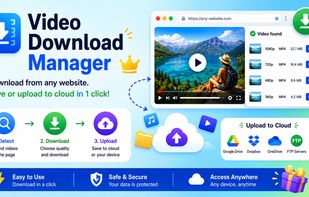
Unlike traditional download tools that stop after saving a file to your computer, SavedVids helps users continue the workflow by uploading downloaded media directly to Google Drive, Microsoft OneDrive, Dropbox, or FTP servers. This reduces manual work and makes it easier to organize large collections of online media.
The platform supports downloading videos and audio from a wide range of supported websites. In addition to dedicated download tools for popular platforms, SavedVids also includes a Universal Link Downloader capable of extracting downloadable media from many compatible websites beyond the officially listed services.
Recent features include support for:
- Facebook Downloader
- Instagram Downloader
- Pinterest Downloader
- Download Videos from TikTok
- X (Twitter) Downloader
- Threads Downloader
- YouTube video downloads
- YouTube playlist downloads
- YouTube channel downloads
- Bulk YouTube link processing
- Reddit video downloads
- Dailymotion downloads
- VK video downloads
- OK.ru video downloads
- Universal media link extraction for supported websites
Users can choose their preferred video or audio quality before downloading and process multiple download tasks through an efficient queue system.
SavedVids also offers direct cloud uploads at no additional cost, allowing downloaded files to be transferred directly to Google Drive, OneDrive, Dropbox, or FTP without first storing them permanently on the local computer.
For users who frequently save online media, this creates a much more efficient workflow:
Retrieve ? Download ? Upload to Cloud ? Organize
instead of the traditional process of downloading files locally and manually uploading them afterward.
The platform is available as a web application and is complemented by a browser extension that detects downloadable media on supported websites and quickly sends it to SavedVids for processing.
SavedVids is designed for creators, educators, students, researchers, remote professionals, digital archivists, and anyone who regularly manages online media collections. Its focus is not simply downloading files, but helping users build a faster, cloud-based workflow that reduces repetitive tasks and improves productivity.







 Saved Vids added Savedvids as alternative to JDownloader, Internet Download Manager, youtube-dl, Free Download Manager and 6 more


No comments or reviews, maybe you want to be first?