Write an ISO or other image to multiple USB devices all at once. Easily preparing a bunch of flash drives of your favorite OS with just a couple of clicks.


Rufus creates bootable USB drives from ISO images with support for both BIOS and UEFI boot modes. This lightweight, portable Windows tool handles formatting and bootable media creation efficiently.
Ventoy leads as the top-ranked alternative, eliminating the need for reformatting by letting users copy ISOs directly onto USB drives and boot them without extraction. Users report keeping 20+ ISOs on a single flash drive with its multiboot approach. balenaEtcher ranks third with cross-platform support and a user-friendly interface that validates flashing, though some users note it struggles with Windows ISO files. UNetbootin ranks second with built-in Linux ISO downloads but focuses primarily on Linux distributions.
WoeUSB targets Linux users who need Windows installer USBs, while iVentoy enables network-based OS deployment to multiple machines via PXE boot selection.
Rufus is a bootable usb creator, and the alternatives landscape divides between simple image flashers and multiboot managers. For open source transparency, Ventoy, balenaEtcher, and UNetbootin are popular choices among the 42 open-source alternatives available.
Linux users have native options in Ventoy and balenaEtcher, while WoeUSB specializes in creating Windows installer USBs from ISO or DVD on Linux systems. Windows users can choose multiboot-focused tools like Ventoy, YUMI exFAT, and WinSetupFromUSB for building installer and utility collections. macOS users have UNetbootin and balenaEtcher support, with macUSB targeting legacy macOS bootable drives without Terminal knowledge.
Write an ISO or other image to multiple USB devices all at once. Easily preparing a bunch of flash drives of your favorite OS with just a couple of clicks.


Optical drives are rapidly disappearing from our computers of all kinds, and consequently installing operating systems from USB flash disks is becoming increasingly popular. ISO images of the ROSA Linux distribution were originally intended for burning to DVD disks, but they can...

its quick stable & versatile no errors on any I made


Most users think ROSA Image Writer is a great Rufus alternative.
(Straight up rufus for Linux users ) The mkusb tool was developed to make it simpler and safer to create boot drives with the method to flash or clone an iso image or a compressed image file. It is using dd under the hood.


A tool to create a bootable live USB drive with an edition of Fedora. Not only can Fedora Media Writer write an image to your flash drive, it can also download it for you. It offers official editions (Server, Workstation), Fedora spins (KDE Plasma Desktop, Xfce Desktop, Cinnamon...


ISO to USB is a free and small software that can burn the ISO image file directly to the USB drives, these USB drives include USB flash drives, memory sticks and other USB storage devices, it also supports to create a bootable USB disk with Windows operating systems.


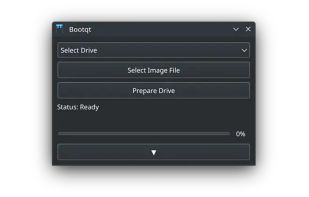
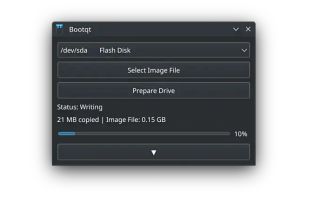
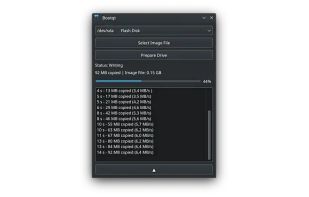
Bootqt is a simple app for making a bootable USB drive from an ISO or IMG file. It is written in Python and uses Qt technologies to provide an easy to use graphical user interface.


WiNToBootic is free program, has the sole function of creating boot disks using ISO images. It is a standalone small and portable tool of only 600KB. Super User Friendly. Good for use where you do not have CD drive (like laptop) and have to install the OS.


FlashBoot is a tool to create an installable clone of Windows 7/8.x/10 (including all your apps and data) on the USB thumbdrive/HDD and instantly transfer your entire OS to another computer, even with dissimilar hardware:


Disk Utility is the name of a utility created by Apple for performing disk-related tasks in Mac OS X. These tasks include:


Cannot flash/burn iso into flash drive
You cannot flash an iso image to a flash drive


This alternative is disputed. Disk Utility is a legitimate Rufus alternative, but it might have issues that some users think are important.
Startup Disk Creator (usb-creator) is an official tool to create Live USBs of Ubuntu from the Live CD or from an ISO image. The tool is included by default in all releases after Ubuntu 8.04.

A macOS app that creates bootable USB drives for Windows. Patches Windows 11 to bypass TPM and Secure Boot requirements.


Easy to use, multi-platform