





RelayBar
1 like
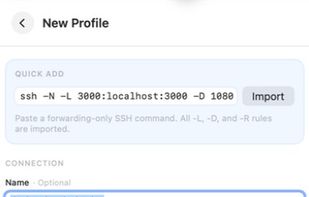
RelayBar is a tiny native macOS menu-bar app for structured SSH forwarding profiles and exact-path remote file access. It runs macOS's built-in /usr/bin/ssh and /usr/bin/sftp directly.

Cost / License
- Free
- Open Source (MIT)
Application type
Since
- Since 2026
Updated
- Updated Sep 2026
Releases
- 9 releases last year9 last year
Platforms
- Mac


Features
Highlights All activities
RelayBar News & Activities
Recent activities
 conchshell added RelayBar as alternative to Conchshell
 Gonzalo Piano added RelayBar as alternative to TunnelBar Connect
 Cosmovex-Apps added RelayBar as alternative to ShellPilot SSH Client
- Wierzciu liked RelayBar
 Paul added RelayBar as alternative to WindTerm, Termius, Core Tunnel, SSH Tunnel Manager and 7 more
- Paul added RelayBar


Developed by
LXLicensing
Open Source (MIT) and Free product.Written in
Alternatives
16 alternatives listedBadge
Get an embeddable badge for RelayBarSupported Languages

AlternativeTo Categories
Network & Admin, System & Hardware, DevelopmentGitHub repository
- 81 Stars
- 5 Forks
- 0 Open Issues
- Updated


No comments or reviews, maybe you want to be first?