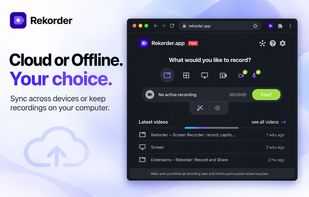
Rekorder is a free Chrome screen recorder with offline capture and a cloud workspace for editing and sharing. Save a quick bug report locally, or turn a walkthrough into an edited video with captions and a shareable link.
🔒 Record offline without an account
Capture and download directly from the extension, even without internet access. Your footage stays on your device, with no per-recording time limit.
🎥 Capture screen, camera, and audio
Record a tab, window, full screen, or webcam at up to 1080p and 60 fps. Mix your microphone with tab or system audio, highlight clicks, and hide sensitive page elements.
⚡ Choose performance and encoding modes
Use GPU-accelerated camera background blur and virtual backgrounds, with a CPU fallback. Choose performance presets and Auto encoding, WebM, standard MP4, or MP4 (WebRTC).
💾 Preserve footage during capture
Local disk buffering helps preserve footage for recovery if Chrome crashes mid-recording.
✂️ Edit in your browser
Cut and reorder clips, remove silence, mute filler words, reduce background noise, normalize audio, and add image, video, or audio overlays. Restore the original whenever needed.
📝 Generate transcripts and summaries
Create searchable transcripts, editable captions, summaries, and chapters so viewers can follow along and find specific moments.
☁️ Share and access across devices
Keep recordings in your cloud library, share privately or by link, control viewer downloads, and export your own MP4.
👥 Organize your team with workspaces
Keep recordings organized in separate workspaces, invite teammates, and manage member roles and seats for team access and collaboration.
Every feature is available on the free plan. The free cloud workspace holds up to 60 minutes of footage and 1 GB at a time. Deleting recordings frees up room. The paid plan provides unlimited cloud recording time and storage.







 EU


 LimelightSoftware added Rekorder as alternative to Loom, Screencast-O-Matic, Screencastify, Screenity and 10 more

 Limelight Software



No comments or reviews, maybe you want to be first?