The app is free on F-Droid and on GitHub but you can buy it on the Google Play Store to support the developer.
Cost / License
- Free
- Open Source (GPL-3.0)
Application typeApplication types
Platforms
- Android
- F-Droid
- Global
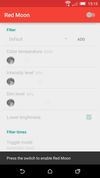

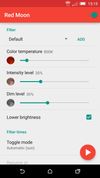

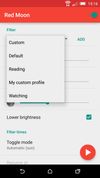


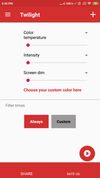
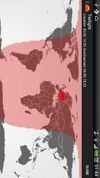
Redshift is not available for Android but there are some alternatives with similar functionality. The best Android alternative is Red Moon, which is both free and Open Source. If that doesn't suit you, our users have ranked more than 50 alternatives to Redshift and eight of them are available for Android so hopefully you can find a suitable replacement. Other interesting Android alternatives to Redshift are Twilight, CF.lumen, LumiGuard and Lux Auto Brightness.
The app is free on F-Droid and on GitHub but you can buy it on the Google Play Store to support the developer.

The app filters the blue spectrum on your phone or tablet after sunset and protects your eyes with a red filter. The filter intensity is smoothly adjusted to the sun cycle based on your local sunset and sunrise times.
 Czechia
 EU
EU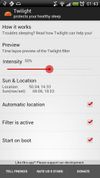
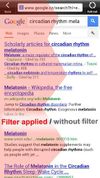


CF.lumen - don't let your phone blind you! CF.lumen changes the colors of your Android device's display based on the position of the sun. With the default settings, your display will get a warmer tint (lower color temperature) when the sun is down, to look more like indoo.
 NetherlandsEU


Experience a more comfortable screen during nighttime use with LumiGuard: Night Mode. Adjust your display's color temperature and brightness to reduce eye discomfort in low-light environments.
 Serbia
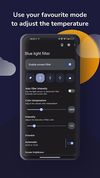
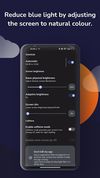


Trouble Sleeping? Device screen too bright even on the lowest brightness setting? Want to give your phone a warm look instead of that eye straining blue gaze you see at night? EasyEyes is the solution. By changing your device's color temperature, EasyEyes reduces eye strain...


Do you use your mobile phone after sunset? Do you use your phone within three hours of your bed time? If yes, then your device might be taking your sleep away. Bluelight from your mobile screens sends a signal to brain to wake up, and makes it difficult for us to sleep at night.

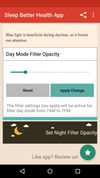


Twilight Blue Light Filter is an optimal night filter that can be created to provide a warm light night screen for your eye care.
 India
India