





Proxyman
17 likes
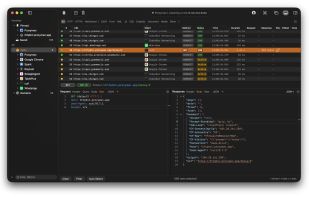
Monitor, intercept and debug HTTP/HTTPS and WebSocket traffic on macOS, iOS, Windows, and Linux. Includes advanced features such as Breakpoint, Map Local/Remote, scripting, filtering, reverse proxy, DNS spoofing, and automation for backend development.

Cost / License
- Pay once or Subscription
- Proprietary
Application type
Platforms
- Mac
- Windows
- Linux
- Android
- iPhone
- iPad


Features
Highlights All activities
Proxyman News & Activities
Recent News
- Paul published news article about Proxyman

Recent activities
 secman added Proxyman as alternative to Cloak Proxy
Back in the day, I perceived it as Charles with a convenient UI; now, overall, it’s developing independently and has convenient scripts for setting it up on mobiles. What’s encouraging is that if you open an issue on GitHub with a bug or a feature request, they respond quickly and implement the desired features.
- mihailfleytman liked Proxyman
 Tom-Wolf added Proxyman as alternative to Piper HTTPS Proxy
- Paul updated Proxyman
- iyh updated Proxyman
 REALSIGNAL added Proxyman as alternative to Packet Capture Pro


Official Links


Install from the command line
winget install -e --id Proxyman.Proxyman
Developed by
 Proxyman LLC
 Licensing
Proprietary and Commercial product.Pricing
One time purchase ranging between $89 and $99, and / or subscription that costs $12 per month.Alternatives
68 alternatives listedBadge
Get an embeddable badge for ProxymanSupported Languages
AlternativeTo Categories
Development, Network & AdminApple AppStore
- Updated
- 4.79 avg rating
GitHub repository
- 6,925 Stars
- 236 Forks
- 1863 Open Issues
- Updated


Comments and Reviews
Back in the day, I perceived it as Charles with a convenient UI; now, overall, it’s developing independently and has convenient scripts for setting it up on mobiles. What’s encouraging is that if you open an issue on GitHub with a bug or a feature request, they respond quickly and implement the desired features.
Download for Windows https://proxyman.com/windows I consider getting into Proxyman more, but debugging seems out of my needs for this time, and my AI tells me to consider Fiddler or mitmproxy for their inspection abilities instead.
If you're on a Mac, there's no question that this is your best choice for an HTTP proxy / debugger tool. Its lightweight, native, and tastefull-designed UI is fast and clean; totally blows Charles out of the water.
This app is awesome! I did some testing and didn't even run into any paywalls. Super smooth and slick, no issues at all.
+1 from me
Native macOS, clean and intuitive UI I can pin and organize domains like Finder Look forward to their upcoming features!
Super easy to debug HTTPS response from Simulator and my iPhone. I love the way I can pin my iPhone, and ignore all irrelevant requests
Native and easy to use Proxy app I've used ever.