


MediaPlay DVD Player
1 like
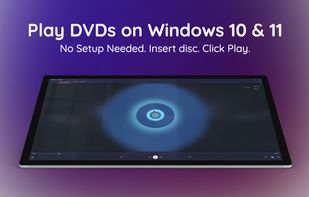
MediaPlay DVD Player – Play DVDs & More is a free multimedia application for PC. Formerly known as Power DVD Player, it is a full-featured video player designed to provide users with an easy way to play DVDs.

Cost / License
- Freemium (Pay once)
- Proprietary
Application typeApplication types
Platforms
- Windows


Features
MediaPlay DVD Player News & Activities
Highlights All activities
Recent activities
 keramservice2014 added MediaPlay DVD Player as alternative to Local Media Player+
 RoxyCole added MediaPlay DVD Player as alternative to Windows Media Player
 RoxyCole added MediaPlay DVD Player as alternative to Zoom Player
- RoxyCole updated MediaPlay DVD Player
- RoxyCole liked MediaPlay DVD Player
 RoxyCole added MediaPlay DVD Player as alternative to CyberLink PowerDVD, VLC Media Player, GOM Player, Movie Monad and 6 more
- RoxyCole updated MediaPlay DVD Player


MediaPlay DVD Player information
Developed by
 RoxyApps
 Licensing
Proprietary and Freemium product.Pricing
One time purchase (perpetual license) ranging between $4 and $8 + free version with limited functionality.Alternatives
28 alternatives listedBadge
Get an embeddable badge for MediaPlay DVD PlayerSupported Languages


No comments or reviews, maybe you want to be first?