




PortKiller
16 likes
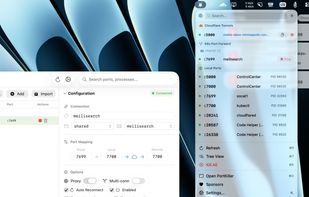
Advanced multi-OS desktop tool for monitoring and managing local TCP ports, identifying bound processes, watching ports for notifications, handling Cloudflare Tunnels, filtering and pinning, managing Kubernetes port-forwards with logs, plus real-time process termination.

Cost / License
- Free
- Open Source (MIT)
Since
- Since 2026
Releases
- 39 releases last year39 last year
GitHub
- GitHub stars: 5.2k


Features
Highlights All activities
PortKiller News & Activities
Recent News
No news, maybe you know any news worth sharing?
Share a News Tip
Recent activities
- humble-advisor liked PortKiller
- Oklonsica liked PortKiller
- Wierzciu liked PortKiller
- S373R liked PortKiller
- Danilo Venom updated PortKiller
 Danilo Venom added PortKiller as alternative to TCP Viewer
- Nam Pham liked PortKiller
- VentiStudio liked PortKiller
- alt-search liked PortKiller
- Solani Stark liked PortKiller

Developed by
WindLicensing
Open Source (MIT) and Free product.Written in
Alternatives
19 alternatives listedBadge
Get an embeddable badge for PortKillerSupported Languages

AlternativeTo Categories
Network & Admin, System & Hardware, DevelopmentGitHub repository
- 5,178 Stars
- 210 Forks
- 18 Open Issues
- Updated





My Favorites
A list with 81 apps by ballju without a description.
No comments or reviews, maybe you want to be first?