





PinLayout
Like
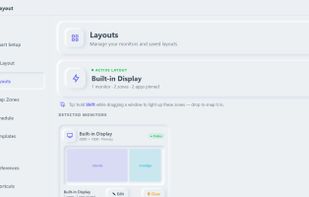
Defines zones on each display, assigns apps to fixed positions, and restores saved workspaces after restarts, crashes, docking, or monitor changes. It includes unlimited layouts, hotkeys, undo and move history, AI suggestions, ultrawide support, and team layout sharing.

 EU
Platforms
- Mac
- Windows


Features
Highlights All activities
PinLayout News & Activities
Recent activities
- Danilo Venom updated PinLayout
- Danilo Venom updated PinLayout
- pinlayoutapp added PinLayout
 pinlayoutapp added PinLayout as alternative to Magnet, Rectangle, DisplayFusion, Loop - Window Management and 3 more


Developed by
 Circular Smart Limited
Licensing
Proprietary and Commercial product.Pricing
Subscription ranging between $30 and $36 per year.Alternatives
11 alternatives listedBadge
Get an embeddable badge for PinLayoutSupported Languages


No comments or reviews, maybe you want to be first?