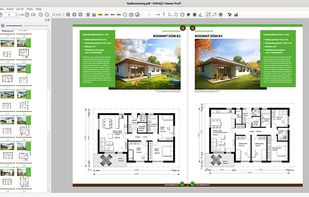
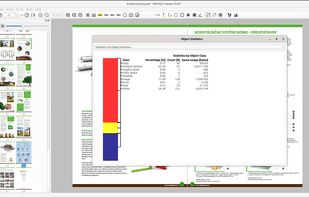
PDF viewer for macOS supports scientific papers, annotations, highlights, bookmarks, split view, exporting notes, AppleScript, multiple annotation types, bibliography integration, full-screen, search, and compatibility with various macOS versions.

PDFpen is described as 'Versatile PDF editing toolkit for macOS. Markup, edit, OCR, fill forms, and export to Word. Store in cloud services for collaboration' and is a PDF Editor in the office & productivity category. There are more than 50 alternatives to PDFpen for a variety of platforms, including Windows, Mac, iPhone, iPad and Web-based apps. The best PDFpen alternative is Foxit PDF Reader. It's not free, so if you're looking for a free alternative, you could try Foxit PDF Reader or PDF-XChange Editor. Other great apps like PDFpen are ABBYY FineReader PDF, Master PDF Editor, Preview and Foxit PDF Editor.
PDF viewer for macOS supports scientific papers, annotations, highlights, bookmarks, split view, exporting notes, AppleScript, multiple annotation types, bibliography integration, full-screen, search, and compatibility with various macOS versions.

Free (and open source) editor for manipulating PDF documents. GUI version + commandline interface. Scripting is used to a great extent in editor and almost anything can be scripted, it is possible to create own scripts or plugins.


Provides editing of text, images, and objects in PDFs, annotation options, OCR for scanned files, conversion to multiple formats, form filling and signing, page management, merging and splitting, cloud integration, camera to PDF functionality, and sharing tools.


LibreSign is a web application for electronic signatures (e-Sign) that offer the possibility of signing documents online with security and agility.

LibreSign is the most popular SaaS & Self-Hosted alternative to PDFpen.
DottedSign is the most comprehensive and easy-to-adopt e-signature solution, offering businesses enterprise-level security standards, equipping them for mobile-first hybrid work environment.


Edit, annotate, and convert PDFs with OCR capabilities, AI-assisted tools for summaries and translations. It supports file protection and offers 2GB of cloud storage for secure management.


With PDFill you can create, fill, delete and submit PDF form fields; insert new formatted text, check, image, hyperlink, whiteout, highlight, drawing, comment and annotation anywhere in the document; save, print or email the filled and password-protected PDF; save and resume...


Provides a comprehensive platform for document editing, signing, and PDF form handling. Offers legally binding eSignatures, robust templates for organization, collaboration tools, and integration with cloud services, enhancing workflow efficiency.


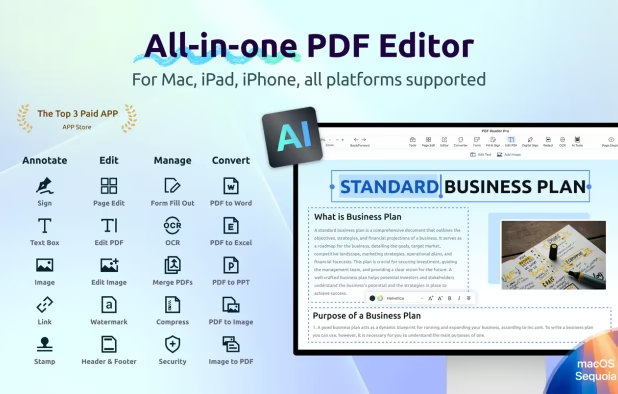
Read, edit, annotate, and sign PDF documents with built-in AI features like summarize and translate, OCR in 50+ languages, fill forms, export to major formats offline, apply watermarks, compress files, secure with passwords, and use text-to-speech on all major platforms.


PDF Viewer Pro is a fast and beautiful app, allowing you to view, search, and annotate PDF documents with ease on your iPhone and iPad.