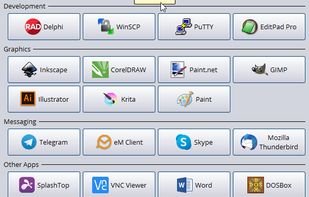
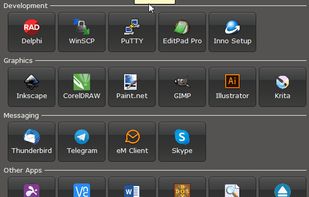
Luncher is a simple Windows application and file launcher. It allows you to setup buttons that act as shortcuts to open any application, file or folder. Luncher appears as a small panel on the top of the screen that is always easily accessible.


Orbital for Mac is described as 'Easily launch and switch between macOS apps while staying focused on your work. Orbital lets you manage your Mac apps with an orbiting dock that appears next to your work, on command' and is a Dock Utility in the os & utilities category. There are more than 10 alternatives to Orbital for Mac for Mac and Windows. The best Orbital for Mac alternative is RocketDock, which is free. Other great apps like Orbital for Mac are ObjectDock, Pieoneer, Launchy - App Launcher and Radial.
Luncher is a simple Windows application and file launcher. It allows you to setup buttons that act as shortcuts to open any application, file or folder. Luncher appears as a small panel on the top of the screen that is always easily accessible.


MultiDock is a simple application that allows you to organize frequently used applications, documents and folders using small panels (Dock’s).


Did you ever wish your Dock could do more or handle more of your apps and files? DockShelf lets you place unlimited docks around your desktop so you never run out of space again for your commonly used files, folders and applications!


OrbitRing makes your workflow smoother, faster, and smarter with a circular interface that brings your favorite apps within reach.


OrbitRing is a sleek and lightweight macOS launcher, featuring a unique ring design that surrounds your mouse with apps for a highly efficient and intuitive start-up experience.


The macOS Dock is built around apps, not windows. Multiple displays and desktops make it hard to track what's open where. boringBar keeps windows organized by desktop, with instant previews, one-click desktop switching, and pinned apps within reach.


A zero-config Mac app switcher that learns your habits. Click your mouse and type - no shortcuts to remember. Simple. Fast. Effortless.