


OptiPNG Alternatives
Apps similar to OptiPNG include Dinky, which is free and open source. Other options are GetCompress, ImageOptim, TinyFast and OptiImage. There's no shortage of Image Optimizers like OptiPNG, with more than 50 alternatives for Windows, Mac, Linux, the web and Android.
Alternatives list

Cost / License
- Freemium
- Open Source (GPL-3.0)
Application typeApplication types
Platforms
- Mac
 Romania
 EU
EU


 70 MAZANOKE alternatives
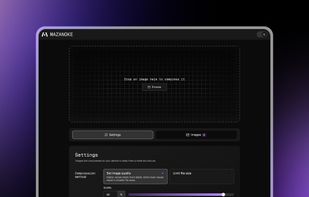
MAZANOKE is a simple image compressor and converter that runs entirely in your browser. No external uploads, works offline as a web app, and is powered by Browser Image Compression.
Cost / License
- Free
- Open Source (GPL-3.0)
Application typeApplication types
Platforms
- Self-Hosted
- Docker

 +3
+3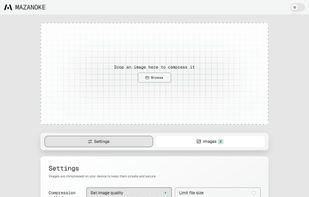

 80 iLoveIMG alternatives
iLoveIMG is an online service to work with images completely free and easy to use. Compress images, resize, crop, convert and much more!.
Cost / License
- Freemium
- Proprietary
Application typeApplication types
Platforms
- Online
 Spain
Spain- EU


 83 pngquant alternatives
pngquant is a command-line utility and a library for lossy compression of PNG images.
Cost / License
- Free
- Open Source
Application typeApplication types
Platforms
- Mac
- Windows
- Linux

 114 Oxipng alternatives
Oxipng is a multithreaded lossless PNG compression optimizer in Rust. It can be used via a command-line interface or as a library in other Rust programs.
Cost / License
- Free
- Open Source (MIT)
Application typeApplication types
Platforms
- Mac
- Windows
- Linux
- Squoosh

 92 Pingo - image optimizer for web alternatives
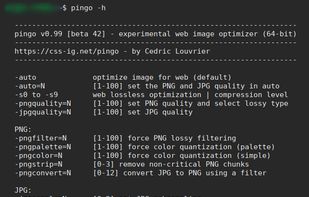
Experimental, fast Web PNG/JPG optimizer which offer lossless, visually lossless or lossy compression. it performs image reductions over iterations thanks to recursive multi-processing and multithreading systems.
Cost / License
- Free
- Proprietary
Application typeApplication types
Platforms
- Windows

 252 Koolyz alternatives
Your ultimate collection of 100+ free online tools, designed to simplify everyday tasks in seconds. Fast, smart, and easy to use.
Cost / License
- Free
- Proprietary
Platforms
- Online


Simple local image converter for Windows and Linux, built to optimize images into WebP and AVIF without upload or download steps.
Cost / License
- Freemium
- Proprietary
Application type
Platforms
- Windows
- Linux
 Austria
- EU





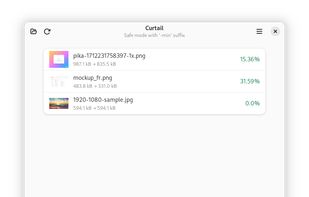
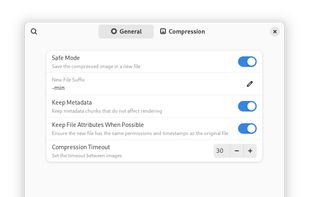
Curtail (previously ImCompressor) is a useful image compressor, supporting PNG and JPEG file types. It support both lossless and lossy compression modes with an option to whether keep or not metadata of images. It is inspired by .
Cost / License
- Free
- Open Source (GPL-3.0)
Application typeApplication types
Platforms
- Linux
- Flathub
- GNOME
- Flatpak
- Linux Mobile

 87 Minuimus alternatives
Minuimus is a file optimizer utility script: You point it at a file, and it makes the file smaller without compromising the file contents.
Cost / License
- Free
- Open Source
Application typeApplication types
Platforms
- Windows
- Linux

- 74 AdvanceCOMP alternatives
AdvanceCOMP is a collection of recompression utilities for your .ZIP archives, .PNG snapshots, .MNG video clips and .GZ files.
Cost / License
- Free
- Open Source (GPL-3.0)
Application typeApplication types
Platforms
- Mac
- Windows
- Linux
A


 Poland


 Italy
Italy