

OpenMTR icon
OpenMTR icon

OpenMTR

A modern, lightweight network diagnostic tool for Windows, macOS and Linux that combines traceroute and ping into a single real-time view.
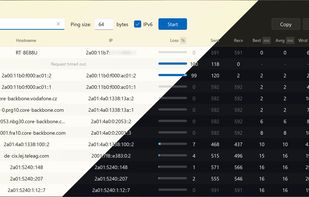
OpenMTR screenshot 1

Cost / License

Platforms

  • Mac  macOS 13 Ventura or newer (Apple Silicon)
  • Linux  Linux (x86_64 or aarch64) with glibc 2.43 or newer
  • Windows
0likes
0articles
Save

Features

  1.  Trace Route

OpenMTR News & Activities

Highlights All activities

Recent activities

OpenMTR information

GitHub repository

  •  3 Stars
  •  1 Forks
  •  3 Open Issues
  •   Updated  
View on GitHub

Popular alternatives

View all
OpenMTR was added to AlternativeTo by nova89 on and this page was last updated .

No comments or reviews, maybe you want to be first?

Official Links

What is OpenMTR?

Features: • Real-time route tracing — continuously probes every hop between you and the target, updating statistics live • Per-hop statistics — ASN, hostname, IP address, packet loss, jitter, sent/received counts, best/avg/worst/last latency • Packet loss at a glance — a per-hop visual bar shows loss severity, with a tooltip giving the exact numbers on hover; hops with 0% loss are dimmed so problem hops stand out • Route change / load-balancing detection — hovering a hop that returned replies from more than one IP flags it as a route change or per-packet load balancing, with details in the tooltip • Hover tooltips everywhere in the table — packet loss detail, and the full IP/hostname when it doesn't fit in its cell; tooltips track the cursor and stay fully on-screen • Live test duration — a running timer in the title bar while a trace is active, frozen at its final value once stopped; start time and duration are also included in exported reports • ASN lookup — Autonomous System Numbers resolved automatically via Team Cymru's DNS service • IPv4 & IPv6 — full dual-stack support with auto-fallback if the target can't be resolved with the chosen protocol • Configurable ping size — adjust ICMP payload from 64 to 8192 bytes • Light & dark themes — switches instantly and auto-detects the system theme on launch; the title bar follows along natively on every platform (DWM on Windows, Cocoa appearance on macOS, the desktop portal's accent/theme setting on Linux) • Custom frameless window — the same Fluent-inspired look and controls on every platform; on macOS this includes a native application menu (About, Copy Report, Export…, Window) • Export & copy — save results as .txt, .csv, or .json via a native Save dialog, or copy the full report to clipboard; double-click any cell to copy its value; exported text adapts column widths to actual content • Keyboard shortcuts — Enter in the target or ping size field starts/stops tracing; Ctrl+C/⌘C copies the full report to clipboard (or just the selected text when a text field is focused); Ctrl+S/⌘S opens the export dialog • Smart column sizing — Hostname and IP columns dynamically share available space based on content width, and the toolbar itself adapts as the window narrows • No admin rights required — runs as a standard user • Instant close — the app exits immediately at any time; background threads are stopped asynchronously without blocking the UI • HiDPI aware — crisp rendering on high-DPI and mixed-DPI setups on every platform