OBS Studio Alternatives

OBS Studio is described as 'Comprehensive software providing screen recording and live streaming on Mac, Windows, and Linux with powerful encoding support and unlimited scenes' and is a leading Screen Recorder in the video & movies category. There are more than 100 alternatives to OBS Studio for a variety of platforms, including Windows, Mac, Web-based, Linux and Android apps. The best OBS Studio alternative is SimpleScreenRecorder, which is both free and Open Source. Other great apps like OBS Studio are XSplit Broadcaster, Bandicam, GPU Screen Recorder and Streamlabs Desktop.

filter to find the best alternatives

OBS Studio alternatives are mainly Screen Recorders, but if you're looking for Screenshot Capture Tools or Screen Casting Tools you can filter on that. Other popular filters include Android, Linux, iPad, Windows, Free, Mac and Screen Recording. These are just examples - use the filter bar below to find more specific alternatives to OBS Studio.
Copy a direct link to this comment to your clipboard
OBS Studio alternatives page was last updated

Alternatives list

  1. Copy a direct link to this comment to your clipboard

    Any Screen Recorder can complete all the video and audio recording work for you, including gameplay, webcam, online video conference, Video lectures, online video tutorial, web seminar, online teaching, online video, online music, desktop activities, microphone, audio and any...

    Cost / License

    • Freemium (Pay once or Subscription)
    • Proprietary

    Platforms

    • Windows
     
  2. Copy a direct link to this comment to your clipboard

    oRipa Screen Recorder is a handy tool to record your Windows desktop activities in real time and save it as a video file. oRipa Screen Recorder also captures anything you can hear on your PC, such as, music and talking through the PCs microphone.

    Cost / License

    • Free
    • Proprietary

    Application type

    Alerts

    • Discontinued

    Platforms

    • Windows
     
  3. Copy a direct link to this comment to your clipboard

    321Soft Screen Video Recorder is designed to record your computer screen (full screen or a fixed area) into AVI video file for further purposes like editing, burning DVD, making slide show movie, etc.

    Cost / License

    • Paid
    • Proprietary

    Application type

    Platforms

    • Mac
    • Windows
     
  4. Copy a direct link to this comment to your clipboard

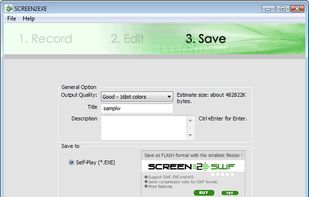
    Recordzilla is a screen recorder software that lets you capture video, audio and pictures of anything you see on your computer screen and save it as video AVI, WMV, Flash SWF, or Flash FLV.

    133 Recordzilla Screen Recorder alternatives

    Cost / License

    • Pay once
    • Proprietary

    Application type

    Platforms

    • Windows
     
  5. Screeny icon
     1 like
    Copy a direct link to this comment to your clipboard

    Screeny gives you the freedom to capture your videos or images at any size. You can click & drag to resize the capture area or input the exact pixel dimensions to set to the size of the capture area.

    Cost / License

    • Paid
    • Proprietary

    Platforms

    • Mac
     
  6. Copy a direct link to this comment to your clipboard

    Amazing Free Screen Recorder provides users a super easy screen video recording solution. You can capture everything of your screen activity on computer. If you want to record desktop activities, webinars, webcam, games, Skype videos, live streaming, video instructions, website...

    Cost / License

    • Pay once
    • Proprietary

    Platforms

    • Mac
    • Windows
     
  7. Copy a direct link to this comment to your clipboard

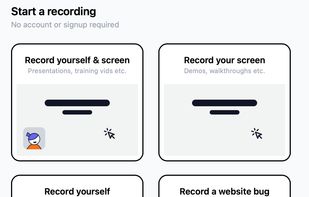
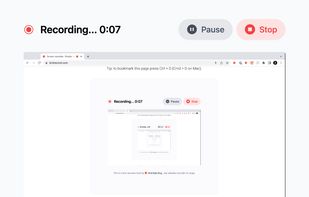
    Record a demo of your app in seconds.

    Cost / License

    • Freemium (Subscription)
    • Proprietary

    Application type

    Platforms

    • Online
    • Windows
    • Mac
    • Linux
    • Google Chrome
    • Mozilla Firefox
     
  8. Copy a direct link to this comment to your clipboard

    Zebra Screen Recorder captures your PC desktop activity into standard MPEG or AVI video files. It records everything you see on the computer screen, including the entire desktop, windows, menus, cursors - even video with sound.

    Cost / License

    • Paid
    • Proprietary

    Platforms

    • Windows
     
  9. Copy a direct link to this comment to your clipboard

    FlashDemo Screen Recorder captures all screen activity from your Windows Desktop in real time and publishes as a Flash movie. Perfect for creating online tutorial, training & support videos, E-Learning material.

    Cost / License

    • Paid
    • Proprietary

    Platforms

    • Windows
     
  10. Upstream.so icon
     2 likes
    Copy a direct link to this comment to your clipboard

    The easiest way to build & maintain a 24 hour live stream using pre-recorded videos. take your YouTube channel to the next level with upstream.

    9 Upstream.so alternatives

    Cost / License

    • Subscription
    • Proprietary

    Platforms

    • Mac
    • Windows
    • Linux
    • Online
    • Android
    • iPhone
    • Chrome OS
    • iPad
    • Google Chrome
    • Software as a Service (SaaS)
    • Firefox
     
  11. Zumie icon
     Like
    Copy a direct link to this comment to your clipboard

    Zumie is a user-friendly platform for creating dynamic, clean videos with automatic zooming into key areas. It allows you to capture screen, webcam, and voice recordings, which can be edited and shared in minutes.

    Cost / License

    • Freemium (Pay once)
    • Proprietary

    Application type

    Platforms

    • Online
     
  12. Copy a direct link to this comment to your clipboard

    Videoyards is a lightweight, browser-based screen recorder that helps Chrome users create professional-quality demos without the need for bulky desktop software. It combines instant recording with smart editing features like auto zoom, cursor highlighting, and camera/microphone...

    Cost / License

    • Freemium (Pay once)
    • Proprietary

    Platforms

    • Software as a Service (SaaS)
    • Online
    • Google Chrome
     
You are at page 15 of OBS Studio alternatives