Microsoft Lens Alternatives

Microsoft Lens is described as 'Trims, enhances, and straightens scanned documents or whiteboards, exports to PDF, Word, or PowerPoint, supports text extraction, and saves to cloud storage' and is a document scanner in the photos & graphics category. There are more than 50 alternatives to Microsoft Lens for a variety of platforms, including Android, iPhone, Windows, iPad and Android Tablet apps. The best Microsoft Lens alternative is OSS Document Scanner, which is both free and Open Source. Other great apps like Microsoft Lens are Pocket Scanner, Google Lens, GImageReader and CamScanner.

Copy a direct link to this comment to your clipboard
Microsoft Lens alternatives page was last updated

Alternatives list

  1. Scanner Pro icon
     1 like
    Copy a direct link to this comment to your clipboard

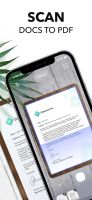
    Scanner is a great app for quickly scanning and saving a digital version of a paper document like receipts, whiteboards, paper notes, or any multipage document.

    Cost / License

    • Freemium
    • Proprietary

    Application type

    Platforms

    • iPhone
    • iPad
     
  2. Scanner+ icon
     Like
    Copy a direct link to this comment to your clipboard

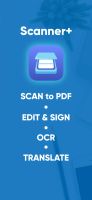
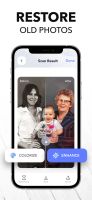
    Scan any paper with your iPhone's camera: the Scanner+ app will automatically recognize the edges of your document, enhance it, and give you a perfectly scanned copy that's ready to share on your favorite platform!

    52 Scanner+ alternatives

    Cost / License

    • Freemium (Subscription)
    • Proprietary

    Application type

    Platforms

    • Android
    • iPhone
     
  3. Copy a direct link to this comment to your clipboard

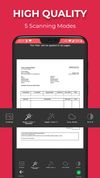
    Kaagaz Scanner is a simple and easy to document scanning & storage app with no sign in, no ads, completely free and no watermark.

    Cost / License

    • Free
    • Proprietary

    Application type

    Platforms

    • Android
    • Android Tablet
     
  4. SikuliX icon
     6 likes
    Copy a direct link to this comment to your clipboard

    SikuliX automates anything you see on the screen of your desktop computer running Windows, Mac or some Linux/Unix. It uses image recognition.

    Cost / License

    • Free
    • Open Source

    Platforms

    • Mac
    • Windows
    • Linux
     
  5. Docus icon
     3 likes
    Copy a direct link to this comment to your clipboard

    The app that allows scanning and organizing documents. Including export in PDF and sharing with others. Completely free.

    Cost / License

    • Free
    • Open Source

    Application type

    Alerts

    • Discontinued

    Platforms

    • Android
    • F-Droid
     
  6. Copy a direct link to this comment to your clipboard

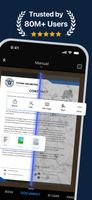
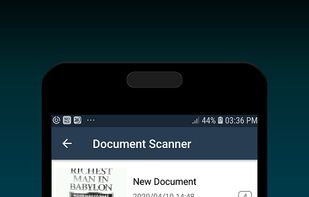
    Scanning documents has never been made so easy. With a Fast document scanner, you can easily scan your documents real quick.
    Cost / License

    • Free
    • Proprietary

    Application type

    Platforms

    • Android
     
  7. Copy a direct link to this comment to your clipboard

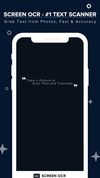
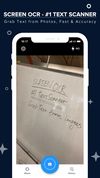
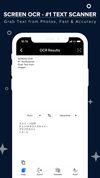
    ScreenOCR - born for scanning your documents and extract text from images and photos with your iPhone devices. Highest Speed & Highest Quality! Support translation.

    Cost / License

    • Free
    • Proprietary

    Platforms

    • iPhone
     
  8. Text Fairy icon
     3 likes
    Copy a direct link to this comment to your clipboard

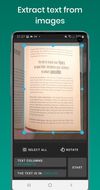
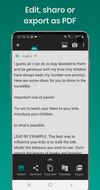
    Convert your phone into a mobile text scanner.

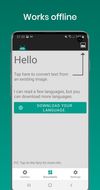
    • Free • Extract text from images. • Edit, share, or export as PDF • Works offline to protect your privacy. • Reads text out loud. (Text-to-speech, TTS) • Recognizes printed text from more than 110 languages. • Scan documents with t.

    Cost / License

    • Freemium (Pay once)
    • Open Source

    Application type

    Alerts

    • Discontinued

    Platforms

    • Android
    • Android Tablet
     
  9. Copy a direct link to this comment to your clipboard

    💥 Capture and share your ideas quickly and easily with Screenie - the ultimate screenshot tool for designers, developers, and anyone who needs to share information efficiently. Simply take a snap, annotate it, and copy it to the clipboard in seconds.

    Cost / License

    • Freemium (Subscription)
    • Proprietary

    Application type

    Platforms

    • Windows
     
  10. Vizion icon
     Like
    Copy a direct link to this comment to your clipboard

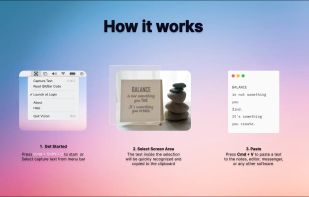
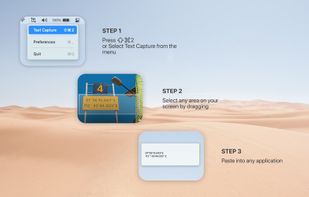
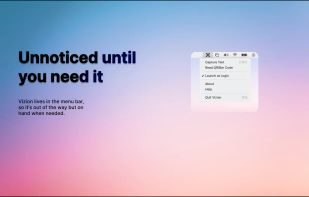
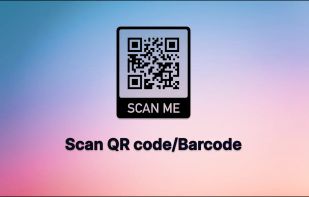
    Never get annoyed by unselectable text on websites, PDFs, images or system user interfaces again. Just select the region of your screen in the same manner as you would take a screenshot and find all recognized text in your clipboard ready to get pasted anywhere.
    Cost / License

    • Pay once
    • Proprietary

    Platforms

    • Mac
     
  11. Copy a direct link to this comment to your clipboard

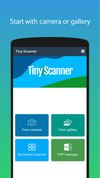
    Scan camscanner, documents, reciepts, photos offline.Tiny Scanner PDF Scanner turns your Android devices into a PDF scanner for a document, a photo captured by camera, a receipt, a note, an invoice, a business card, a whiteboard or other file formats.
    Cost / License

    • Free
    • Proprietary

    Application type

    Platforms

    • Android
     
  12. Copy a direct link to this comment to your clipboard

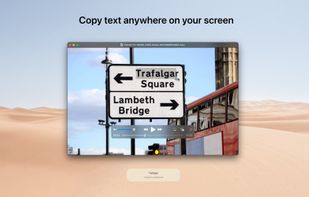
    With TextGrabber you can easily copy text anywhere on your screen.

    Cost / License

    • Free
    • Proprietary

    Platforms

    • Mac
     
You are at page 5 of Microsoft Lens alternatives