


NIUBI Partition Editor
7 likes
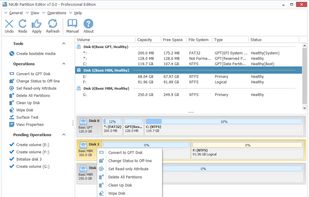
Partition management tool for Windows supporting creation, deletion, formatting, resizing, moving, copying, defrag, file system conversion, secure wiping, rollback protection, error checking, with a fast file-moving algorithm and core features free.

Cost / License
- Freemium (Pay once)
- Proprietary
Application type
Platforms
- Windows


Features
NIUBI Partition Editor News & Activities
Highlights All activities
Recent activities
i wanted to extend first partition on my drive so in order to do that i had to first do a left side shrink on second partition, both were ntfs, i was surprised how fast that operation finished in like 10 seconds since i was used to that it takes a long time on gparted since it has to copy everything over, well turns out the second partition that i was left shrinking got totally destroyed, i should probably stick to gparted in the future
- RazTK liked NIUBI Partition Editor
- Fla updated NIUBI Partition Editor
 TheEmperorArt added NIUBI Partition Editor as alternative to iBeesoft Disk Partition Wizard

NIUBI Partition Editor information
Developed by
 Chongqing NIUBI Technology Co., Ltd
 Licensing
Proprietary and Freemium product.Pricing
One time purchase (perpetual license) ranging between $39 and $399 + free version with limited functionality.Alternatives
22 alternatives listedBadge
Get an embeddable badge for NIUBI Partition EditorSupported Languages


Featured in Lists


The Clone...Wares
A list displaying cloneware apps, that is to say apps that are a clone of another app, checking the install directories and checksums to see the similarities. Despite being clones, they should function exactly like the original and ought to be clean (Not malware).
This will be continuously updated for new apps when they come to my attention, if you believe that there is a missing clone app or that you found a set of clones tell me in the comments.
Just a point to notice so far, it would seem all Clonewares originate from China, copying themselves or attempting to copy others.
As the wise jedi grand master Yoda once said "Begun, the Clone Wars has"
Comments and Reviews
I was looking for alternative to EaseUS Partition Master and MiniTool PartitionWizard for home use without bundleware and with portable options, and I found this awesome tool. Same features as mentioned tools. I fully recommend it as replacement for any partition tool you are using now :D
i wanted to extend first partition on my drive so in order to do that i had to first do a left side shrink on second partition, both were ntfs, i was surprised how fast that operation finished in like 10 seconds since i was used to that it takes a long time on gparted since it has to copy everything over, well turns out the second partition that i was left shrinking got totally destroyed, i should probably stick to gparted in the future