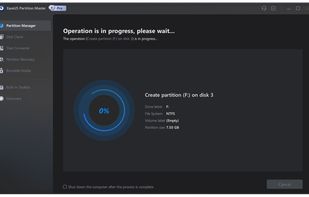
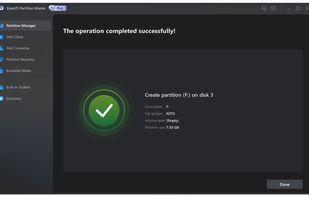
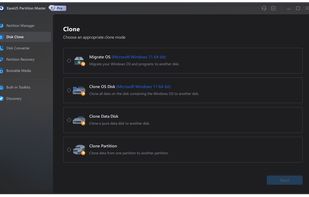
Original Released in 2009, it has become a more established/better known company offering a strong partition editor with many features and easy to navigate and understand UI.
Cost / License
- Freemium
- Proprietary
Application types
Platforms
- Windows


A list displaying cloneware apps, that is to say apps that are a clone of another app, checking the install directories and checksums to see the similarities. Despite being clones, they should function exactly like the original and ought to be clean (Not malware).
This will be continuously updated for new apps when they come to my attention, if you believe that there is a missing clone app or that you found a set of clones tell me in the comments.
Just a point to notice so far, it would seem all Clonewares originate from China, copying themselves or attempting to copy others.
As the wise jedi grand master Yoda once said "Begun, the Clone Wars has"
A clear clone
Original Released in 2009, it has become a more established/better known company offering a strong partition editor with many features and easy to navigate and understand UI.


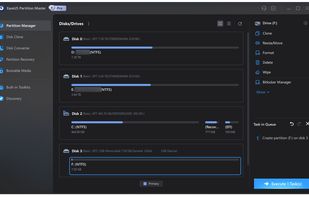
Cloneware First released in 2018, IBeesoft Disk Partition Wizard (DPW) is a limited functionality clone of EaseUS Partition Master (PM), making an exact copy of the UI/UX, and even having the exact same files/images matching the checksum in the install directory but offering less features compared to EaseUS Partition Master as of 2025.
Duplicate finder checking the header of the checksum and full checksum found over 500 matches of the same files.
The install directory folder/file structure is exactly the same, with even the program executable having practically the same name: EaseUS PM's exe "EPMUI" EPM is the shorten form of the program's name with UI, while iBeesoft's DPW exe name is: "IPMUI" the only thing changed is the "E" - "I" to fit with the "I" in iBeesoft.
The only real difference here is the latest version of DPW is unable to resize the window, only has dark mode, has a more purple dark scheme and less available features compared to the latest version of PM.
iBeesoft website is also filled with fake reviews, "Add Your Review" redirects to "contact us" info.


An obvious clone with slight changes and a clone with a face lift
Original First released in March 2013.
Both NIUBI PE and IM-Magic PR both have the same dm.api file with Macrorit's file being slightly smaller, but NIUBI and IM-Magic being the exact same, they also all have the exact same pro.api for the license key file, they also have the exact same and uninst.exe with IM-Magic's uninst.exe featuring the exact same icon.
All three have exact same language files with all the language files matching .


Cloneware First released in June of 2015. This app is an exact copy of Macrorit DPE having the exact same UI/UX and style with the only difference being the icons in the application, in addition to the install file/folder structure being the same and having the exact same named files with the same size.
Niubi did the most in renaming, changing the icon and altering the file so that their checksums wouldn't match, however you can still notice the same file/folder structure and certain key files still being present like pro.api, dm.api and others.
An interesting thing with Niubi is that if Macrorit DPE is already running, Niubi PE will refuse to run alongside it, because it uses the same processes/info and it thinks it's already running, the inverse also applies when Niubi is running, Macrorit will refuse to run since it will identify Niubi's instance as if it's its own. IM-Magic PR does not have this issue.


Cloneware First released in November 2013, heavily limited functionality clone with a complete UI/UX change, making it look very different to the original, however, a look into the install directory will reveal the exact same file/folder structure and even the exact same file names for executable and the same license key file.
IM-Magic has the same files just renamed slightly so instead of Macrorit's dm.ac - dm.resizer.ac, the executable dm.exe becomes - dm.resizer.exe. It also has the exact same language files matching checksums.


An Exact clone and an older clone
Original First released in November 2015
All three feature a custom-made setup installer, however this setup installer is the exact same for all three, in terms of look, promotional images disclosing their features and overall UI. In addition, all three install the exact same driver file "epmdkdrv", if you have one of the three already installed, the setup will throw an error that the file is present is unable to be replaced. Clicking on ignore, will finish the setup and app will still function fine.
All three have the exact same UI/UX, the same look, similar elements within the program and same categories. "Data Erasure" featuring 3 ways to delete data and other tools that contain disk tools, internet cleaner and uninstaller
Doing a duplication scan with full checksum on DoYourData SE and Donemax DE's install directory reveal 134 exact copies mostly related to UI/UX. This shows that DoneMax essentially just copied and pasted the resources of DoYourData. A duplication scan for file names, file size and file data, reveals 1282 duplicate files.
Doing a duplication scan with DoYourData SE and AweEraser, reveal the same thing but to a lesser extent, as AweEraser at least attempts to change the core images/resources. A duplication scan for file names, file size and file data, reveals 192 duplicate files, meanwhile there are more than 500 instances of files sharing the exact same file name
The install folder/file structure for all three are the exact same features the exact same folder names, with the same names within them as well.




Identical Clone
Original First released: Possibly sometime in 2017 No clear date given
Both uninstallers feature a very barebones looking uninstaller interface, both looking and behaving EXACTLY the same. Duplicate scanner checking file name + file size + file data, found 342 duplicates and a scanner checking for checksums specifically found 92 matches. The folder/file structure for both of these uninstallers are exactly the same too. The only difference is the company name and the icon.


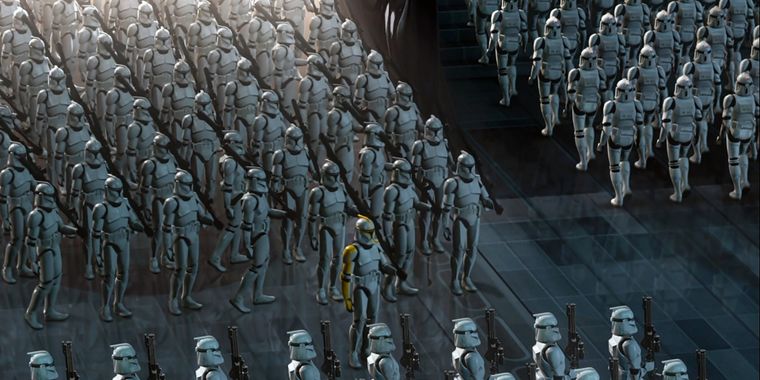
Total Copy My friend: can I copy your homework? Me: yeah Just don't make it obvious
Original No changelog that clearly disclose when was the initial release, however there is PRNewWire from 2014 that announces the initial release of this application.
All three have the exact same UI and design even down to the same corner jaggedness in the window. Only difference is the colorscheme and the icons. Looking into the folder/file structure they all share the exact same pathing and exact same folder names.
A Duplicate scanner only checking file name + file size + file data found over 300 similar files as well.
FileFusion Duplicate finder checking with SHA512 and SHA256, it found more than 400 similar files. The interesting thing about FileFusion is that it is able to remove the duplicates while setting hard-links for said removed files (fusing them) that point to where the similar ones are located. When this is allowed, all three of the applications are still able to launch and function.
The install folder/file structure for all three are the exact same features the exact same folder names, with the same names within them as well. Only difference in the files are the contents of the licensing and the name of the executable otherwise, DLLs are interchangeable as well as the UI elements which can be found as pngs within the directory.
Coolmuster website also contains fake reviews from bots, these bots under the exact same names leaving often times similar or the exact same reviews, making it appear like there have been lots of people using this app who endorse it.


Cloneware First released in July 2016 has a long and transparent changelog, yet it is not the original.


Cloneware: with a company motto of our original mission, "Share the right software," and continue to bring users the best third-party software. Its no wonder that iReashare (I Re-Share) is about repackaging prexisting software or even just forwarding you to the 3rd party software.
Due to opaque update changelog, the earliest date appears to be September 25 2024.


Are you intending to switch to a new smartphone? Then you may need to move your data to the new phone. This iReaShare Phone Transfer software can help you complete the data migration efficiently and without data loss.


MobiKin Transfer for Mobile is a top-notch phone transfer program for iOS, Android, Windows Phone, or BlackBerry users. With it, you can move contents between them freely and easily.

Backing up your phone data is an important step if you don't want to suffer from the pain of data corruption or loss. With MobiKin Backup Manager for Android, backing up and restoring Android data will never be easier.

Coolmuster Android Backup Manager can help us take Android data backup & restore on computer with one-click. Data like contacts, text messages, apps, photos, videos, music, call logs, documents are supported.

Powerful yet easy-to-use disk cloning software - securely clone hard disk drive, system hard drive, external storage device without any data loss.