


iReaShare Phone Transfer
Like
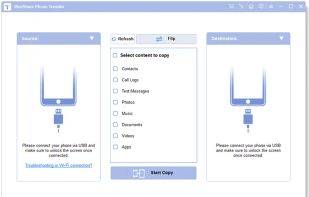
Are you intending to switch to a new smartphone? Then you may need to move your data to the new phone. This iReaShare Phone Transfer software can help you complete the data migration efficiently and without data loss.

Cost / License
- Pay once
- Proprietary
Since
- Since 2024


Features
Highlights All activities
iReaShare Phone Transfer News & Activities
Recent activities
No activities found.
Developed by
 iReaShare
Licensing
Proprietary and Commercial product.Pricing
One time purchase (perpetual license) ranging between $20 and $50.Alternatives
1 alternative listedBadge
Get an embeddable badge for iReaShare Phone TransferSupported Languages




The Clone...Wares
A list displaying cloneware apps, that is to say apps that are a clone of another app, checking the install directories and checksums to see the similarities. Despite being clones, they should function exactly like the original and ought to be clean (Not malware).
However, you should still be aware of these devs as being nothing more than copy and paste of programs. Personally I would just advise to staying away and not giving them your payment info. Opt instead to go with a software that is more reputable and well-known.
This will be continuously updated for new apps when they come to my attention, if you believe that there is a missing clone app or that you found a set of clones tell me in the comments.
Just a point to notice so far, it would seems all Clonewares originate from China, copying themselves or attempting to copy others.
As the wise jedi master Yoda once said "Begun, the Clone Wars has"
No comments or reviews, maybe you want to be first?