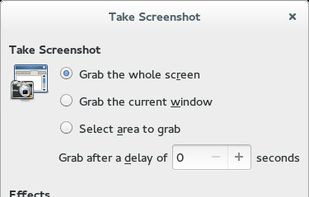
GNOME Screenshot is a utility used in the GNOME desktop environment for taking screenshots. It was part of the GNOME Utilities (gnome-utils) package, but was split into its own package for the 3.3.1 version in 2011.

Nexshot is described as 'Designed for speed and simplicity, NexShot transforms how you capture, annotate, and share visual ideas on Windows. Whether you're debugging code, creating tutorials, or sharing quick feedback, NexShot gives you instant region captures, real-time screen recording, and' and is a screenshot capture tool in the photos & graphics category. There are more than 100 alternatives to Nexshot for a variety of platforms, including Windows, Mac, Web-based, Linux and Google Chrome apps. The best Nexshot alternative is ShareX, which is both free and Open Source. Other great apps like Nexshot are Flameshot, Greenshot, Ksnip and Snipping Tool.
GNOME Screenshot is a utility used in the GNOME desktop environment for taking screenshots. It was part of the GNOME Utilities (gnome-utils) package, but was split into its own package for the 3.3.1 version in 2011.

QuickScreenshot is a lightweight and very easy to use application that enables you to take screenshots of your desktop with a few mouse clicks. Just press the wanted screenshot key (or press it multiple times) and your screenshots are done!

This is just a screen-capture toy, nothing more. If you don't know how to take screenshots with the system functions, use this tool :-).

Screen Capturer allows you to instantly capture any area of the screen to a file or email.

SnipZero is a convenient zero-install screenshot app that lets you take screenshots right from your web browser. No installation required. You can select any application window or browser tab as source.


SnipSnip is a screen capture utility, designed for easy capture of some or all of your screen(s). It also allows you to do simple tasks like resizing, cropping and drawing on the capture.


Snip is a screen-capture application that can capture the active window or custom areas. Drag to zoom in/out the screen shot; add labels, texts and handwriting contents of your choice and save it to your device or the clipboard.


Bug Shooting is the perfect tool for software developers as well as testers. Bug Shooting provides you an easy way to create screen captures and attach them to items of your bug tracking or issue management system, e.g.
Easy, free and full-featured screenshot application to capture, edit, cloud store and share your screenshots effortlessly.
Ashampoo Droid Screenshot is a fully-fledged mobile application to capture, edit and share screenshots and images on your Android device. Capture screen contents, take photos with your built-in camera or simply load existing images and add stylable arrows, shapes, stamps and...