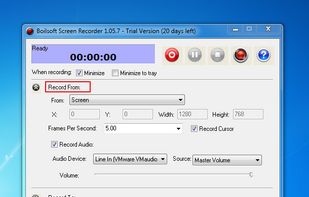
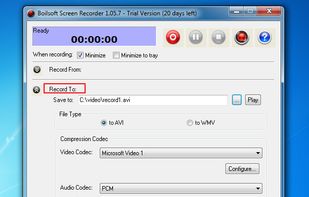
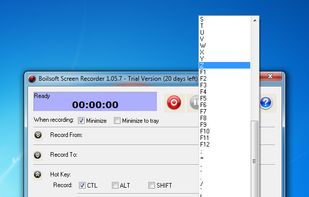
Boilsoft Screen Recorder is a screen-recording software helps to capture screen activities and record video to avi, wmv from microphone, line-in, or speakers for screen sharing.


Nexshot is described as 'Designed for speed and simplicity, NexShot transforms how you capture, annotate, and share visual ideas on Windows. Whether you're debugging code, creating tutorials, or sharing quick feedback, NexShot gives you instant region captures, real-time screen recording, and' and is a screenshot capture tool in the photos & graphics category. There are more than 100 alternatives to Nexshot for a variety of platforms, including Windows, Mac, Web-based, Linux and Google Chrome apps. The best Nexshot alternative is ShareX, which is both free and Open Source. Other great apps like Nexshot are Flameshot, Greenshot, Ksnip and Snipping Tool.
Boilsoft Screen Recorder is a screen-recording software helps to capture screen activities and record video to avi, wmv from microphone, line-in, or speakers for screen sharing.


Share what you see with the rest of the world.
With Piclair.com you share what you see with your friends! Works flawlessly with Facebook, Twitter, MSN, Skype etc.


A lightweight yet powerful screen capture tool that allows you to easily capture anything on the screen including windows, objects, full screen, rectangular and freehand regions.


BlitzSound it's a simple application, which can capture your special moments and pieces of your favorite song from a youtube video, or a TeamSpeak3/Skype conversation without any problem.


Take web screenshots without exposing private data. Scramble website text, blur sensitive data and blackout text

Zappy is a macOS screen capture tool made for internal use by Zapier and released free for all. It's built for speed and provides the perfect set of features for remote teams to work with screenshots and GIF recordings quickly and effectively.


A modern screenshot utility. Simple yet configurable. Powerful features: Send Snips to your Phone, Upload to Facebook. Drag and Drop images, Snip Types: Manual Size, Window/Region Capture, Fixed Size and Fixed Ratio. That and so much MORE...


You grab Screens or Windows using the standard PrtScn and Alt-PrntScn keys and MGrab will intercept the saved data as it is sent to the clipboard and put it into your chosen folder as a BMP or JPG file leaving the clipboard free for you to take another screenshot.