Nexshot Alternatives

Nexshot is described as 'Designed for speed and simplicity, NexShot transforms how you capture, annotate, and share visual ideas on Windows. Whether you're debugging code, creating tutorials, or sharing quick feedback, NexShot gives you instant region captures, real-time screen recording, and' and is a screenshot capture tool in the photos & graphics category. There are more than 100 alternatives to Nexshot for a variety of platforms, including Windows, Mac, Web-based, Linux and Google Chrome apps. The best Nexshot alternative is ShareX, which is both free and Open Source. Other great apps like Nexshot are Flameshot, Greenshot, Ksnip and Snipping Tool.

Copy a direct link to this comment to your clipboard
Nexshot alternatives page was last updated

Alternatives list

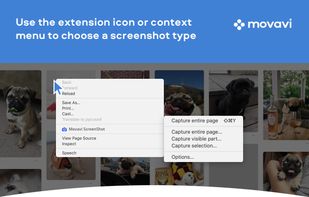
  1. Movavi ScreenShot is a screenshot extension for Chrome and Firefox that lets you grab full and partial screen captures as well as save screenshots in multiple formats.

    Cost / License

    • Free
    • Proprietary

    Application type

    Platforms

    • Online
    • Google Chrome
    • Firefox
     
  2. Viewport Sizer is a free tool for measuring viewport dimensions across any device. Simply visit the website to view your current viewport size. We've also compiled a list of all known modern devices, phones & tablets with all screen size specifications.

    Cost / License

    • Free
    • Proprietary

    Platforms

    • Online
     
  3. 7capture icon
     5 likes

    7capture is free screen capture software for Windows 7, Vista and XP. 7capture automatically handles complicated transparency problems such as rounded corners and Aero semi-transparent windows backgrounds.

    No matter what Windows version you are using, 7capture will do it's m.

    Cost / License

    • Free
    • Proprietary

    Application type

    Platforms

    • Windows
     
  4. EasyCapture icon
     2 likes

    EasyCapture is a powerful and easy-to-use free screen capture software.

    It allows you to capture whole windows, scrolling windows, selected-regions, fixed-size rectangles (regions) and window controls. It has a delayed capture mode, so that you can capture the target window dur.

    Cost / License

    • Free
    • Proprietary

    Application type

    Alerts

    • Discontinued

    Platforms

    • Windows
     
  5. Originally intended for software developers, UX/UI designers and IT support desks, goScreenCapture is the perfect software utility for anyone who wants to create a document, build a slide presentation, check artwork, complete a project and work collaboratively.

    Cost / License

    • Free
    • Proprietary

    Application type

    Platforms

    • Windows
     
  6. Window Clippings is screenshot app that capture the full Aero glass and shadows interface in screenshots. You can use it to capture shots of windows, menus, or even a free-form selection quickly and easily.

    Cost / License

    • Paid
    • Proprietary

    Application type

    Platforms

    • Windows
     
  7. SimpleCap icon
     1 like

    Small and free screenshot app for Mac that offers custom area and resolution presets, and much more.

    Cost / License

    • Free
    • Open Source

    Application type

    Alerts

    • Discontinued

    Platforms

    • Mac
     
  8. Kioku icon
     1 like

    A capture software suits noobs.

    Cost / License

    • Free
    • Proprietary

    Application type

    Platforms

    • Windows
     
  9. It added an editing feature to the Gadwin PrintScreen .

    Cost / License

    • Paid
    • Proprietary

    Application type

    Platforms

    • Windows
     
  10. qscreenshot icon
     1 like

    Simple creation and editing of screenshots.

    Cost / License

    • Free
    • Open Source

    Application type

    Alerts

    • Discontinued

    Platforms

    • Mac
    • Windows
    • Linux
     
  11. ScreenTray icon
     2 likes

    A macOS app for capturing, annotating and sharing screenshots. Quickly add comments, highlight what matters or blur any sensitive content. Upload screenshots to Google Drive or Dropbox. Copy screenshots to the clipboard and paste them directly into Slack, Skype, Jira, Trello and...

    Cost / License

    • Freemium
    • Proprietary

    Application type

    Platforms

    • Mac
     
You are at page 6 of Nexshot alternatives