NetSpeedMonitor Alternatives
NetSpeedMonitor is described as 'lightweight Network Monitoring Toolbar for your Windows Taskbar designed to be used on computers that run Windows XP, Windows Server 2003, Windows Vista or Windows 7' and is a popular app in the Network & Admin category. There are more than 25 alternatives to NetSpeedMonitor for a variety of platforms, including Windows, Mac, Linux, Android and Android Tablet. The best alternative is NetWorx. It's not free, so if you're looking for a free alternative, you could try GlassWire or TrafficMonitor. Other great apps like NetSpeedMonitor are BitMeter OS (Free, Open Source), PRTG Network Monitor (Freemium), NetTraffic (Free) and MenuMeters for El Capitan (Free, Open Source).
- NetWorx is a simple, yet versatile and powerful tool that helps you objectively evaluate your bandwidth consumption situation. You can use it to collect bandwidth usage data and measure the speed of your Internet or any other network connections.
NetWorx vs NetSpeedMonitor opinions
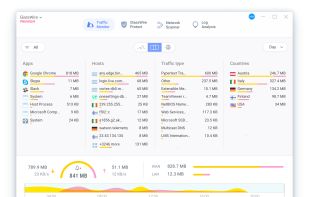
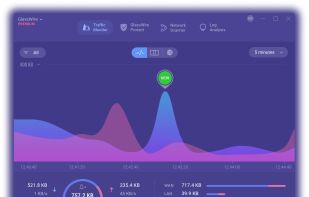
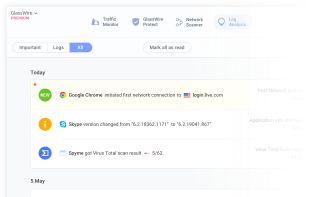
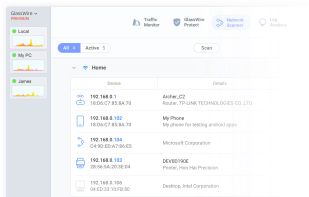
Has almost all the same features. You can set it so its displays current network speed(or just about any network statistic.) Much customization. Uses less memory and it 'quieter' so to speak. - GlassWire is a network security monitoring tool and analyzer that visualizes your network activity on an easy to use graph, alerts you of possible threats, manages your firewall, and more.
- Freemium • Proprietary
- Windows
- Android
- Android Tablet
- TrafficMonitor is a network monitoring suspension window software in Windows. It can display the current network speed, CPU and memory usage. It also support the functions of display in the taskbar, change skin and historical traffic statistics.
- Free • Open Source
- Windows
- BitMeter OS keeps track of how much you use your internet/network connection, and allows you to view this information in a variety of ways.
- Free • Open Source
- Mac
- Windows
- Linux
BitMeter OS vs NetSpeedMonitor opinions
Does not include taskbar info feature - An advanced network monitoring solution to monitor network up/downtime, traffic and usage. Features include availability, performance, and bandwidth monitoring (SNMP, WMI, packet sniffing, NetFlow), instant alerts, reporting, failover clustering.
- Live data rate chart. Network usage history (statistics). Quota counter (limit usage meter). Works with every network connection. Multi-language. Installer & portable. Lightweight. Freeware.
NetTraffic vs NetSpeedMonitor opinions
can't display transfer rate in taskbar - DU Meter is a network bandwidth monitor for your computer. It shows real-time graphs and can create reports and alerts based on your downloads and uploads.No screenshots yet
- NetMeter provides a powerful suite of Internet traffic management for home users as well as business users. NetMeter is an advanced bandwidth tool designed to monitor incoming and outgoing bandwidth and is managed by an online control panel in the users private account.
Discontinued
Replaced by NetMeter Evo , not a new version, but a new program. NetMeter (legacy) can be still downloaded from the official website.
- Monitor network bandwidth (C#.NET 2k/XP+). Desktop and Systray graph. Configurable connection speed, update interval, color, transparency. Monitor any or all network interfaces. Ping/Trace/UPnP utilities. Email notifier (POP/IMAP).
- Free • Proprietary
- Windows
No screenshots yetFreeMeter vs NetSpeedMonitor opinions
Norton Simple floating window sowing up and down rates plus a lot of options, which I haven't fully explored yet - but which looks well thought out! The big plus for me - no installation required, woohoo. Run it from thumb drive or wherever. Love it :)