nConvert AlternativesImage Editors and other similar apps like nConvert

nConvert is described as 'NConvert is a powerful command line multi-platform batch image processor with more than 80 commands. Compatible with 500 image formats' and is a Image Editor in the photos & graphics category. There are more than 50 alternatives to nConvert for a variety of platforms, including Windows, Mac, Web-based, Linux and Android apps. The best nConvert alternative is Image Toolbox, which is both free and Open Source. Other great apps like nConvert are ImageMagick, Caesium Image Compressor, XnConvert and Photo Editor.

Copy a direct link to this comment to your clipboard
nConvert alternatives page was last updated

Alternatives list

  1. Image Toolbox icon
     87 likes

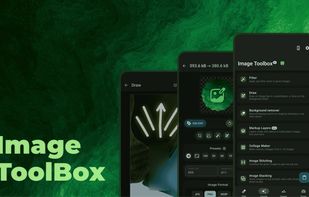
    Supports cropping, filter use, EXIF editing, and background removal with AI, PDF conversion and editing, batch processing, OCR, encryption, custom filters, barcode scanning, SVG tracing, color selection, histogram, collage, and diverse format export.

    Cost / License

    Application types

    Platforms

    • Android
    • F-Droid
     
  2. ImageMagick icon
     216 likes

    ImageMagick is a software suite to create, edit, and compose bitmap images. It can read, convert and write images in a variety of formats (about 100) including GIF, JPEG, JPEG-2000, PNG, PDF, PhotoCD, TIFF, and DPX.

    Cost / License

    • Free
    • Open Source

    Platforms

    • Mac
    • Windows
    • Linux
    • iPhone
    • iPad
    • Xfce
     
  3. Caesium Image Compressor lets you compress your pictures up to 90% without visible quality loss. Providing a simple yet effective interface with a real-time preview and multiple image processing at the same time, everyone will be able to reach the best result.

    Cost / License

    Platforms

    • Mac
    • Windows
    • Linux
    • Online
     
  4. XnConvert icon
     84 likes

    XnConvert is an easy image converter for graphic files, photos and images available on Windows, MacOSX and Linux.

    Cost / License

    • Free Personal
    • Proprietary

    Platforms

    • Mac
    • Windows
    • Linux
     
  5. Photo Editor icon
     13 likes

    Edit photos using exposure, brightness, color tuning, curves, batch processing, special effects, cropping, overlays, and metadata tools. Supports touch interface, multiple save formats, sharing to social media, comparison tools, and captures from web or video.

    Cost / License

    • Freemium
    • Proprietary

    Application types

    Platforms

    • Android
    • Android Tablet
     
  6. Offline batch image resizer & converter for Windows - JPEG, HEIC, RAW, WebP and 70+ formats, all CPU cores, one-time license, no upload.

    Cost / License

    • Paid
    • Proprietary

    Application type

    Platforms

    • Windows
     
  7. Batch process photos with resizing, cropping, color adjustments, text or watermark overlays, preview changes before saving, automate renaming with custom patterns, support for major formats, folder structures, preset settings, and drag-and-drop management.

    Cost / License

    • Free Personal
    • Proprietary

    Platforms

    • Windows
     
  8. Filestar icon
     16 likes

    Get rid of repetitive tasks, save time and boost your productivity with over 30.000 file conversions available. Transform or convert hundreds of files, all at the same time with a few simple clicks.

    Cost / License

    • Freemium
    • Proprietary

    Platforms

    • Mac
    • Windows
     
  9. Create email-friendly images, resize in batches, convert formats, and compress using high-quality filters. Integrated in Windows Explorer, it offers high-res settings, watermarking, a profiles library, PDF creation, and supports devices like iPad and iPhone.

    Cost / License

    • Paid
    • Proprietary

    Application type

    Platforms

    • Windows
     
  10. Image Tuner icon
     20 likes

    Image Tuner is a free batch image resizing, renaming, conversion and watermarking software with a super-intuitive and straightforward interface.

    Cost / License

    • Paid
    • Proprietary

    Platforms

    • Windows
     
  11. Free, private image conversion across many formats. All processing happens locally on your PC — no uploads, no servers. Batch process, resize, smart crop, and fine-tune quality.

    Cost / License

    Application type

    Platforms

    • Windows
     
12 of 50 nConvert alternatives