





Formatix Image Converter
2 likes
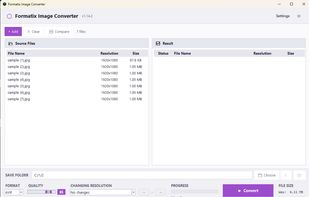
Free, private image conversion across many formats. All processing happens locally on your PC — no uploads, no servers. Batch process, resize, smart crop, and fine-tune quality.

Cost / License
- Free
- Open Source (GPL-3.0)
Application type
Platforms
- Windows


Features
Highlights All activities
Formatix Image Converter News & Activities
Recent activities
- chovexa added Formatix Image Converter as alternative to ShrinkFox
 Vahzryn added Formatix Image Converter as alternative to Zapixal
- niksavc liked Formatix Image Converter
- cyber-anderson updated Formatix Image Converter
- cyber-anderson added Image Optimizer as a feature to Formatix Image Converter
- Paul updated Formatix Image Converter
- cyber-anderson added Formatix Image Converter
- cyber-anderson liked Formatix Image Converter
- cyber-anderson rated Formatix Image Converter
 cyber-anderson added Formatix Image Converter as alternative to XnConvert, FastStone Photo Resizer, ImageMagick, Graphic Converter and 19 more


Developed by
cyber-andersonLicensing
Open Source (GPL-3.0) and Free product.Written in
Alternatives
25 alternatives listedBadge
Get an embeddable badge for Formatix Image ConverterSupported Languages

AlternativeTo Categories
Photos & Graphics, DevelopmentGitHub repository
- 27 Stars
- 4 Forks
- 0 Open Issues
- Updated


No comments or reviews, maybe you want to be first?