MoneyBug is a subscription-free time tracking and invoicing app for freelancers.
MoneyBug is free for your first 3 jobs. If you do not need to store the jobs in the app itself after completion for example, simply delete it and create a new one, and use the app for free. Otherwise, a one-time purchase unlocks unlimited jobs.
Start a timer on a job, add any expenses as you go, and when the work is done, MoneyBug turns it into an invoice ready to send as a PDF.
The easiest way to check out MoneyBug is to download the app and explore the Sample Library. Save, edit, export and get a feel for the app.
Core features:
• Your data stays private. MoneyBug collects nothing, needs no account, and keeps your library on your Mac, offering encrypted sync with your personal iCloud only if you want it to. Backups can also be encrypted, and a built-in optional Touch ID lock keeps your clients and your private data secure.
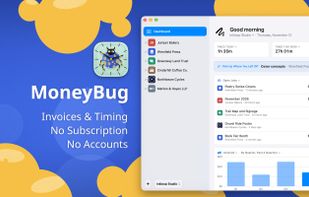
• See your whole business at a glance. Set up the Dashboard exactly as you want it, with drag-and-drop widgets, and get insights into how your time and earnings are developing that are actually relevant to you.
• Time any item from the window or the menu bar, or input fixed costs, expenses, mileage, discounts and payments on the same job. Automatic idle detection asks what to do with time spent away.
• Customize your invoices. Start from MoneyBug's pre-made templates or make your own from scratch. Then see every invoice and estimate exactly as your client will. Finalize an invoice or estimate and MoneyBug can keep it on file, even if you need to revise, so you always have access to the copy you sent a client.
With MoneyBug, you send the invoices, not us. MoneyBug is not subscription-based and is free for your first three jobs, with every feature included. A one-time in-app purchase unlocks unlimited jobs on every Mac you own, and includes Family Sharing.
Questions, problems or ideas? Visit MoneyBug Support on GitHub, linked from the app's Help menu.








 Charles added MoneyBug as alternative to Harvest, Orbit Time Tracking, Invoice Ninja, Zoho Invoice and 5 more

 Oddforms Design LLC


No comments or reviews, maybe you want to be first?