MenuBar Stats Alternatives

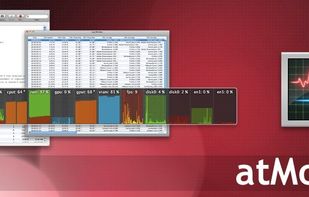
MenuBar Stats is described as '2 has been reinvented. Completely re-written from the ground up. MenuBar Stats 2 is composed of modules (CPU, Disk, Network,...). Each module can be seen in your menu bar. Each module can be combined in 1 window, or in a separated window' and is a system information utility in the system & hardware category. There are more than 10 alternatives to MenuBar Stats for a variety of platforms, including Mac, Windows, Linux, iPhone and KDE Plasma apps. The best MenuBar Stats alternative is Open Hardware Monitor, which is both free and Open Source. Other great apps like MenuBar Stats are SpeedFan, Sidebar Diagnostics, Stats and iStat Menus.

Copy a direct link to this comment to your clipboard
MenuBar Stats alternatives page was last updated

Alternatives list

  1. Copy a direct link to this comment to your clipboard

    Activity Monitor displays information about all the processes running on your Mac, including CPU, disk, memory, and network usage. You can see exactly how your computer’s resources are being used via a searchable table, helpful graphs, or even directly in the Dock icon.

    22 Activity Monitor alternatives

    Cost / License

    • Free
    • Proprietary

    Platforms

    • Mac
     
  2. Copy a direct link to this comment to your clipboard

    Take gaming to the next level with OMEN Gaming Hub, OMEN's dynamic software solution. Optimize your hardware, earn real-life rewards, manage your games, play remotely, and more. Think of it as a rare in-game item that boosts all of your character's stats.

    40 OMEN Gaming Hub alternatives

    Cost / License

    • Free
    • Proprietary

    Platforms

    • Windows
     
  3. Fanny icon
     2 likes
    Copy a direct link to this comment to your clipboard

    Fanny is a free Notification Center Widget and Menu Bar application to monitor your Macs fans.

    45 Fanny alternatives

    Cost / License

    • Free
    • Open Source

    Platforms

    • Mac
     
  4. CatWalk icon
     1 like
    Copy a direct link to this comment to your clipboard

    A simple plasmoid showing the total CPU usage.

    Cost / License

    • Free
    • Proprietary

    Platforms

    • Linux
    • KDE Plasma
     
  5. MiniUsage icon
     6 likes
    Copy a direct link to this comment to your clipboard

    MiniUsage displays various data like CPU usage, amount of network flow, battery status and process names which uses much CPU time in a menubar. It takes little space and can display various data, so it's suitable for notebook.

    Cost / License

    • Free
    • Proprietary

    Application type

    Alerts

    • Discontinued

    Platforms

    • Mac
     
  6. Pluto HUD icon
     1 like
    Copy a direct link to this comment to your clipboard

    Pluto is a highly refined and customizable at-a-glance system monitor for your Mac. Keep track of what's going on behind the scenes without dropping what you're currently doing.

    Cost / License

    • Pay once
    • Proprietary

    Platforms

    • Mac
     
  7. Beaconly icon
     Like
    Copy a direct link to this comment to your clipboard

    Beaconly is a flexible, easy to use data aggregating menu app that ties relevant information to you, beautifully one click-away in your macOs menu bar. Easily discover status of AWS, your Jira Tickets, and so much more.

    Cost / License

    • Free
    • Proprietary

    Platforms

    • Mac
     
  8. HWRadar icon
     Like
    Copy a direct link to this comment to your clipboard

    HWRadar is a simple lightweight and customizable hardware monitoring tool that offers real-time, detailed insights into your computer's performance. Our software can track numerous hardware parameters and exports this data in various formats like PNG, PDF, CSV, DOC, and HTML.

    Cost / License

    • Free
    • Proprietary

    Platforms

    • Windows
     
  9. Loading icon
     Like
    Copy a direct link to this comment to your clipboard

    Your iPad and iPhone show you when apps are using your network. So why can't your Mac? Sure, there's always the Network section in Activity Monitor, but that's far from ideal. At best you can group by All Processes, Hierarchically, sort by Rcvd Bytes, and check the...

    Cost / License

    • Free
    • Open Source

    Application type

    Platforms

    • Mac
     
You are at page 2 of MenuBar Stats alternatives