




PerformanceMonitor
1 like
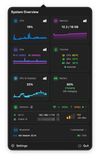
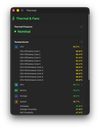
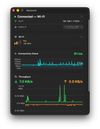
Open-source macOS menu bar system monitor with per-sensor temperatures, SSD wear and battery health. No telemetry, no subscription — and it pauses sampling when no window is visible, so it stays out of your way.


+1

Cost / License
- Free
- Open Source (MIT)
Application type
 EU
EUPlatforms
- Mac

Features
PerformanceMonitor News & Activities
Highlights All activities
Recent activities
 Danilo Venom added PerformanceMonitor as alternative to Vitals for macOS
 Vitals added PerformanceMonitor as alternative to Vitals Activity Monitor
- Quite-Velocity added PerformanceMonitor as alternative to Task Manager for macOS
- Paul added PerformanceMonitor as alternative to ActivityLine
- Kevin Stam liked PerformanceMonitor
- Kevin Stam added PerformanceMonitor
 Kevin Stam added PerformanceMonitor as alternative to Activity Monitor, Stats, iStat Menus, Stats Panel and 2 more


PerformanceMonitor information
Developed by
 Kevin Stam
 Licensing
Open Source (MIT) and Free product.Written in
Alternatives
10 alternatives listedBadge
Get an embeddable badge for PerformanceMonitorSupported Languages

AlternativeTo Categories
System & Hardware, Network & Admin, OS & UtilitiesGitHub repository
- 11 Stars
- 4 Forks
- 3 Open Issues
- Updated


No comments or reviews, maybe you want to be first?