


Marxico
8 likes
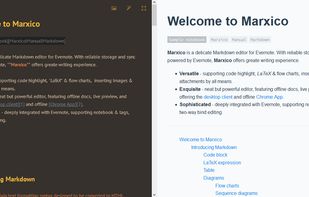
Markdown editor for a note service with live preview, code highlighting, tables, images, attachments, LaTeX, flowcharts, checkboxes, and offline storage. It supports notebook and tag selection, browser and desktop clients, and two-way editing through synchronized rich-text notes.

Cost / License
- Subscription
- Proprietary
Platforms
- Mac
- Windows
- Google Chrome
- Evernote

Features

Highlights All activities
Marxico News & Activities
Recent activities
 Danilo Venom added Marxico as alternative to Quire Markdown
- Danilo Venom updated Marxico
 spaquet added Marxico as alternative to Markify | Markdown Editor
 Paul added Marxico as alternative to Clearly Markdown
 Paul added Marxico as alternative to MacDown 3000
 Dalieba added Marxico as alternative to Markdown Shell Extensions and Editor


Developed by
Hust GockLicensing
Proprietary and Commercial product.Pricing
Subscription that costs $1 per month.Alternatives
65 alternatives listedBadge
Get an embeddable badge for MarxicoSupported Languages


Edge/Chrome Extensions
A list with 209 apps by trishafhhmoam without a description.
No comments or reviews, maybe you want to be first?