LycanZip
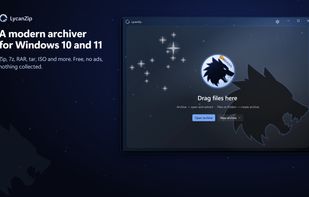
LycanZip opens and creates zip, 7z and tar archives, shows pictures and plays music inside an archive without unpacking it, and fits into the Explorer menu. The packing and unpacking is done by the 7-Zip engine (7z.dll); the window is WinUI 3.
Features
Open and browse
zip, 7z, rar (extract only), tar, gz, xz, bz2, iso, cab and many more (everything 7-Zip opens), including split archives (.7z.001, .part1.rar, .z01) and double-layer formats such as .tar.gz (opened as one tar).
Folder tree, breadcrumb, details / list / icon views, search, check boxes, band selection.
Picture / audio preview
Picture preview with a thumbnail strip, EXIF orientation and animated GIF / WebP; audio player with tags and technical information. Pictures can be saved in another format and set as the desktop picture.
File names of old zip / tar archives (Big5, GBK, Shift-JIS, EUC-KR, UTF-8) are detected automatically, and you can choose the encoding yourself.
Passwords: AES-256 zip, 7z with encrypted file names; a wrong password is asked again before anything is extracted.
Create and change
zip, 7z, tar, tar.gz, tar.xz, tar.bz2 and iso; presets, levels, solid blocks, split volumes, AES-256, encrypted file names in 7z, checksum files written next to the archive.
Add, delete, rename and replace items inside zip, 7z and tar archives, with a safe temporary copy and an optional backup.
Extract
Smart extraction (one root folder goes in directly, several items get a folder named like the archive), conflict handling per file, drag out to Explorer (also from solid 7z archives, in one pass), extract only the selection.
Checksums
CRC32, MD5, SHA-1, SHA-256, SHA-384, SHA-512 for files, folders and the content of archives; verify .sha256 / .md5 / .sfv files.
"Look up on VirusTotal" opens the page of the SHA-256 of an archive, or of a file in it, in your browser (only the hash is in the address; nothing is uploaded).
Safety
Unsafe paths (.., absolute paths, drive letters, NTFS streams, reserved names) are refused, symbolic links are not followed, decompression bombs are caught, the Mark-of-the-Web of the archive is passed on, and archives can be scanned by the installed antivirus (AMSI).
Nothing is collected. The only network request is an optional check for a new version, off by default.
Windows integration
Explorer context menu (classic and the new Windows 11 menu), right-drag menu, file associations (registered for the current user only, and only when you switch them on).
Portable mode: a file LycanZip.portable next to the exe keeps all settings in the program folder.
Interface languages: English, Traditional Chinese, Simplified Chinese.
A command line tool, lycanzip-cli.exe.






 Aegisulf


Comments and Reviews
just so fast and beautiful interface.