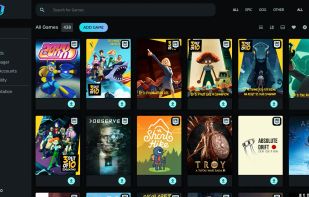
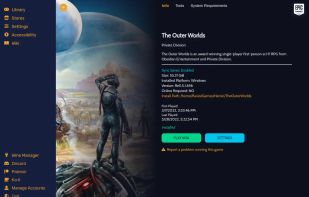
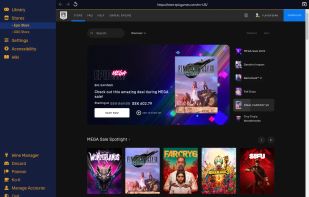
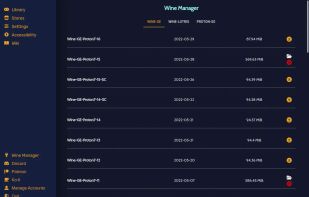
Heroic is an Open Source Game Launcher for Linux, Windows and macOS (10.15+, won't work properly on High sierra and older versions). Right now it supports launching games from the .


The best Compatibility Layer alternative to Lutris is Heroic Games Launcher, which is both free and Open Source. If that doesn't suit you, our users have ranked more than 50 alternatives to Lutris and 13 are Compatibility Layer Tools so hopefully you can find a suitable replacement. Other interesting Compatibility Layer Tool alternatives to Lutris are PlayOnLinux - PlayOnMac, Bottles, CrossOver and Winlator.
Heroic is an Open Source Game Launcher for Linux, Windows and macOS (10.15+, won't work properly on High sierra and older versions). Right now it supports launching games from the .


PlayOnLinux is a graphical frontend for the Wine software compatibility layer which allows Linux and Mac users to install Windows-based video games, Microsoft Office (2000 to 2010), Microsoft Internet Explorer, as well as many other applications.


Cross-platform utility enables seamless installation and execution of Windows applications on macOS, Linux, and Chrome OS. No Windows license required—facilitates easy app management with a few clicks, eliminates the need for virtual machines and reboots, delivering efficient compatibility layer operation.


Windows x86/x64 apps and PC games run on Android devices with support for DirectX, OpenGL, Vulkan, and various hardware builds using Wine and Box86/Box64. Features setup guides, secure performance, APK downloads, and options for beginners or advanced users.


An open-source Epic Games Launcher alternative and normal game launcher for macOS written in Swift. We started this project to create a GUI frontend for Legendary and to play Windows games using game porting toolkit by Apple.


Phoenicis is a graphical front-end for Wine, a tool to help Linux and Mac users run games and programs for Windows. The future of PlayOnLinux and PlayOnMac.


A simple and lightweight app for running Windows games using UMU-Launcher.


Q4Wine is a qt4 GUI for wine that will help you manage wine prefixes and installed applications


WineZGUI (pronounced Wine-Zee-Goo-Eee) is a wine frontend for playing windows games with wine easily. It is a collection of Bash scripts for Wine Prefix Management and Linux Desktop Integration for easier wine gaming experience using Zenity.


This is Hangover, a project started by André Zwing and Stefan Dösinger in 2016 to run (x86_64)/x86_32 Windows applications on aarch64/(ppc64le)/x86_64 Wine. (Architectures in brackets are currently not supported).
It's less buggy and is very intuitive in how to install your games and view the Stores from Epic and GOG. Your game library is clean and and easy to view, install and play. There's no configuration, or very little, needed in order to play your games. Lutris is very clunky compared. So much so, that I installed Ubi Connection as a non-steam game, installed it through Steam and now launch Ubi-Connect through Steam and don't use Lutris at all. It's that bad.