Lumescape icon
Lumescape icon

Lumescape

Make screenshots beautiful.

Lumescape screenshot 1

Cost / License

  • Pay once
  • Proprietary

Platforms

  • Mac
Lumescape screenshot 1
Lumescape screenshot 2
+1
Lumescape screenshot 3
0likes
0comments
0alternatives
0articles

Features

Properties

  1.  Lightweight
  2.  Privacy focused

Features

  1.  Works Offline
  2.  Full-page Screenshot
  3.  OCR
  4.  Ad-free
  5.  Dark Mode
  6.  No registration required
  7.  Annotate Screenshot
  8.  No Tracking
  9.  No Coding Required

Lumescape News & Activities

Highlights All activities

Recent activities

Lumescape information

  • Licensing

    Proprietary and Commercial product.
  • Pricing

    One time purchase (perpetual license) that costs from $1.
  • Alternatives

    0 alternatives listed
  • Supported Languages

    • English
    • French
    • German
    • Portuguese
    • Polish
    • Italian
    • Finnish
    • Swedish
    • Norwegian
    • Russian
    • Korean
    • Japanese

AlternativeTo Categories

Photos & GraphicsOffice & Productivity
Lumescape was added to AlternativeTo by rosevinnur on and this page was last updated .
No comments or reviews, maybe you want to be first?

What is Lumescape?

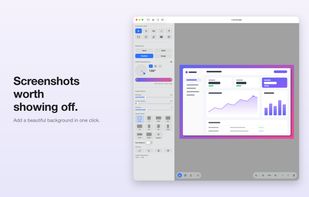
Lumescape makes your screenshots look great — right on your Mac.

Bring in a screenshot — open a file, paste, drag it in, or capture your screen — and Lumescape frames it beautifully and gets it ready to share in seconds.

BEAUTIFUL BACKDROPS • Solid color, multi-stop gradient (linear, radial, conic), your own image, or none • Dial in padding, corner radius, and shadow; pick any aspect ratio or set a custom one

ANNOTATE • Arrows, lines, rectangles, ellipses, freehand pen, highlighter, and text • Numbered step markers and blur to hide private data • Move, rotate, resize, duplicate, and reorder anything — with undo/redo

CROP & TRANSFORM • Interactive crop with aspect-ratio snapping • Rotate, flip, and auto-balance

MORE THAN A FRAMER • Capture a full screen or a selected area • Turn code into a polished, syntax-highlighted image • Pull text out of any image with built-in OCR

EXPORT • Save as PNG, JPEG, TIFF, or WebP — or copy straight to the clipboard

Perfect for docs, social posts, App Store listings, and bug reports.