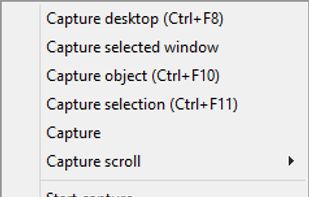
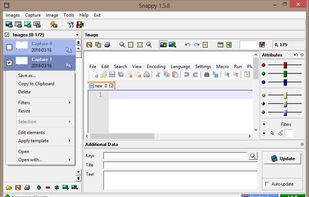
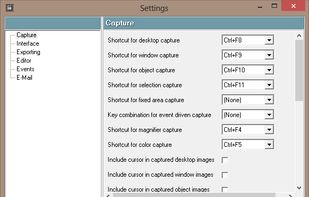
Schirmfoto is the easiest way of creating screenshots. Schirmfoto integrates itself into your Windows system by adding a new button in the title bar of each window. Clicking this icon will create a screenshot for you.


Lightscreen is described as 'Lightweight screen shooting application for Windows and linux used to automate the process of saving and cataloging screenshots' and is a popular screenshot capture tool in the photos & graphics category. There are more than 100 alternatives to Lightscreen for a variety of platforms, including Windows, Mac, Web-based, Linux and Google Chrome apps. The best Lightscreen alternative is ShareX, which is both free and Open Source. Other great apps like Lightscreen are Greenshot, PicPick, Ksnip and FastStone Capture.
Schirmfoto is the easiest way of creating screenshots. Schirmfoto integrates itself into your Windows system by adding a new button in the title bar of each window. Clicking this icon will create a screenshot for you.


Free Screen Video Recorder is a compact, yet full-featured screen video recorder and screenshot capture tool that allows you to easily record screen activities and capture anything on the screen including windows, objects, menus, full screen and rectangular regions.

You grab Screens or Windows using the standard PrtScn and Alt-PrntScn keys and MGrab will intercept the saved data as it is sent to the clipboard and put it into your chosen folder as a BMP or JPG file leaving the clipboard free for you to take another screenshot.
Make your PrintScreen button work the way it ought. Save to file, print to printer, or copy to dumb ol clipboard.

InstantShot! offers classical screenshot functionality for capturing the whole screen, a portion of it or a window and also the option to make timed screenshots or to make delayed captures over time. It offers a wide range of preferences and options to fit everyone's needs.
SnipSnip is a screen capture utility, designed for easy capture of some or all of your screen(s). It also allows you to do simple tasks like resizing, cropping and drawing on the capture.


This is just a screen-capture toy, nothing more. If you don't know how to take screenshots with the system functions, use this tool :-).

Right click on any web page, frame or iframe, click "Save Page As Image..." and then resize the selection around the piece you want to save.