LibreOffice Alternatives for Linux

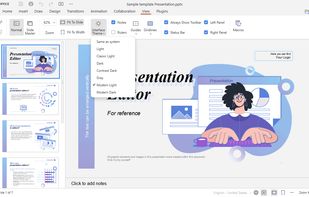
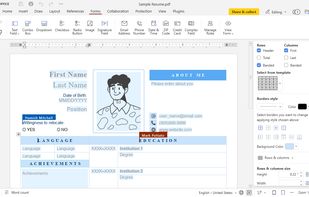
There are many alternatives to LibreOffice for Linux if you are looking for a replacement. The best Linux alternative is ONLYOFFICE, which is both free and Open Source. If that doesn't suit you, our users have ranked more than 50 alternatives to LibreOffice and 16 are available for Linux so hopefully you can find a suitable replacement. Other interesting Linux alternatives to LibreOffice are WPS Office, Apache OpenOffice, Collabora Office Classic and SoftMaker FreeOffice.

filter to find the best alternatives

LibreOffice alternatives are mainly Office Suites, but if you're looking for Spreadsheet Apps or Word Processors you can filter on that. Other popular filters include Kindle Fire + Free, iPad, Linux, Android, Android Tablet, Open Source and Windows. These are just examples - use the filter bar below to find more specific alternatives to LibreOffice.
Copy a direct link to this comment to your clipboard
LibreOffice alternatives page was last updated

Alternatives list

  1. ONLYOFFICE icon
     668 likes

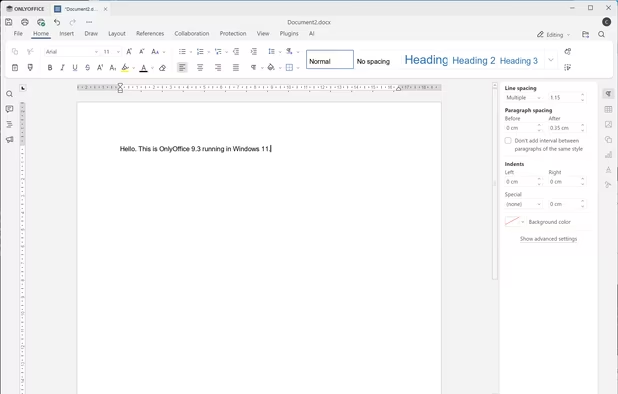
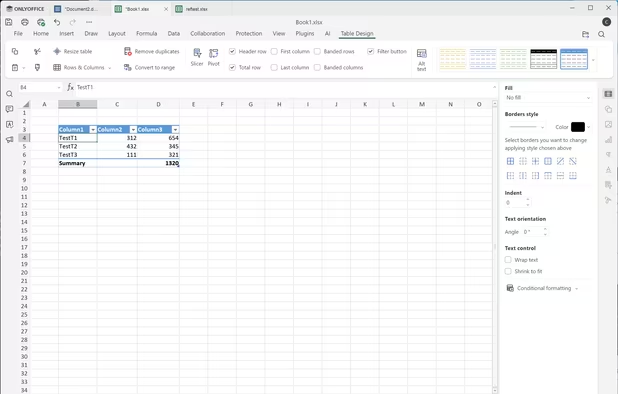
    Open-source office suite offering document, spreadsheet, and presentation editing with co-editing modes, plugin support, integration across 30+ services, robust security, and mobile access. Available in Community, Enterprise, and Home Server editions for versatile deployment.

    81 ONLYOFFICE alternatives

    Cost / License

    Application types

    Platforms

    • Mac
    • Windows
    • Linux
    • Online
    • Android
    • iPhone
    • Android Tablet
    • HUAWEI AppGallery
    • iPad
    • Self-Hosted
    • AppImageHub
    • Snapcraft
    • Flathub
    • Samsung Galaxy Store
    • Software as a Service (SaaS)
    • Flatpak
    • Cloudron
     
    |
    10
    ONLYOFFICE vs LibreOffice Comments
    Top Positive Comment
    John Fastman
    18

    ONLYOFFICE is less functional than Libre Office, but it is open source and has the following advantage I find useful: It opens all Microsoft Office .doc and .docx files with better fidelity than Libre Office does. Especially those with embedded vector graphics, which Libre sometimes screws up. The functionality is more like Google docs or something (e.g. no plugins, etc.). But it's good to have around.

    Top Negative Comment
    Daltro Auguso Campanher de Souza
    -1

    Onlyoffice is realy promising and amazing piece of software. However, I find it to work really bad in (poor) machines with less RAM (4gb or less). Optimization is way worse than what a software with maturity as LibreOffice can get. Also, like what other people said here, LibreOffice have more features at all, it's a more mature and reliable project.

    Guest
    Positive
    0

    I like ONLY Office for simplicity and compatibility with Microsoft Document but if you need more functionnality Libre Office is a better choice.

    Review by a new / low-activity user.
    3 of 10 comments
    • ONLYOFFICE is Free and Open SourceLibreOffice is also Free and Open Source
  2. WPS Office icon
     400 likes

    A comprehensive, free office suite offering high compatibility across formats. Supports Android, iOS, Windows, Linux, macOS, and handles text, presentations, spreadsheets, and PDFs. Features document collaboration, multiple languages, strong privacy, and user support.

    54 WPS Office alternatives

    Cost / License

    • Freemium
    • Proprietary

    Application types

    Platforms

    • Mac
    • Windows
    • Linux
    • Android
    • iPhone
    • Chrome OS
    • Android Tablet
    • iPad
    • Flathub
    • Flatpak
     
    |
    7
    WPS Office vs LibreOffice Comments
    Top Positive Comment
    Kat .H
    7

    good ms office alternative but free version has limits.

    Top Negative Comment
    John Fastman
    28

    WPS has the following drawbacks: 1) The 'free' version doesn't let you print freely (ie without a watermark, if at all), 2) Unlike Libre Office, it doesn't integrate with many popular plugins, e.g. Zotero or Mendeley. 3) It's not open source and therefore, in contrast to what another comment here claims, you don't know what the code is doing, and you don't know if it's spying on you or not.

    coth
    0

    Worst point about WPS is that it 2019 version has a forced Chinese regional standards (decimal and thousand separator). WPS 2016 used to respect regional standards in latter versions, so as 2019 in very early versions. But since few years separators are now hardcoded.

    3 of 7 comments
    • WPS Office is Freemium and ProprietaryLibreOffice is Free and Open Source
  3. Apache OpenOffice is a leading open-source office suite that offers free applications for word processing, spreadsheet, presentations, graphics, databases and more. All data is stored in an open standard format, though Open Office can also read and write files from other common...

    63 Apache OpenOffice alternatives

    Cost / License

    Application types

    Alerts

    • Discontinued

    Platforms

    • Mac
    • Windows
    • Linux
    • BSD
    • PortableApps.com
     
    |
    5
    Apache OpenOffice vs LibreOffice Comments
    Top Positive Comment
    gregorijus
    -4

    Lightweight and stability.

    Top Negative Comment
    78jmb6dk
    8

    OpenOffice seems to be end-of-life. It doesn't receive as many code contributions as LibreOffice and has fewer features. LibreOffice is a successor to this project and is probably better for most users.

    Kelson V
    Negative
    0

    Oracle totally squandered this project after they bought Sun. By the time they handed it off to Apache it was too little, too late, and most of the active work had moved over to LibreOffice. Apache's basically kept it on life support for the last decade.

    3 of 5 comments
    • Apache OpenOffice is Free and Open SourceLibreOffice is also Free and Open Source
  4. On-premise office suite featuring advanced word processing, spreadsheets, and presentations, unmatched compatibility with 100+ formats, OOXML support, six-month updates, enterprise hardening, Visio and Publisher import, PDF export, and support for 50+ languages.

    48 Collabora Office Classic alternatives

    Cost / License

    • Freemium
    • Open Source

    Application types

    Platforms

    • Mac
    • Windows
    • Linux
    • Android
    • iPhone
    • Chrome OS
    • Android Tablet
    • iPad
    • Flathub
    • Software as a Service (SaaS)
    • Flatpak
    • Cloudron
     
    |
    1
    Collabora Office Classic vs LibreOffice Comments
    Guest
    Positive
    2

    So far the best experience using ODF formats with collabora office

    Review by a new / low-activity user.
    • Collabora Office Classic is Freemium and Open SourceLibreOffice is Free and Open Source
  5. SoftMaker Office for Windows, Mac, Linux and Android – the fast, powerful and compatible office suite.

    41 SoftMaker FreeOffice alternatives

    Cost / License

    • Freemium
    • Proprietary

    Platforms

    • Mac
    • Windows
    • Linux
    • Android
    • Android Tablet
     
    |
    3
    SoftMaker FreeOffice vs LibreOffice Comments
    Guest
    Positive
    4

    Pretty similar to MS Office (uses the ribbon interface), very complete and powerful suite.

    Review by a new / low-activity user.
    fris
    Positive
    0

    High compatibility, small files, platform compatibility, stability, speed, low demand on resources.

    ndlinn
    Positive
    0

    Easily the easist, fastest & best designed Office alternative, though it may lack some advanced functionality (I wouldn't know, as I primarily use it for standard, basic office suite use)

    • SoftMaker FreeOffice is Freemium and ProprietaryLibreOffice is Free and Open Source
  6. Calligra Suite icon
     101 likes

    Calligra Suite is an office and graphic art suite by KDE. It contains applications for word processing, spreadsheets, presentation, vector graphics, and editing databases.

    51 Calligra Suite alternatives

    Cost / License

    Application types

    Platforms

    • Linux
    • KDE Plasma
    • FreeBSD
    • Flathub
    • Flatpak
     
    |
    1
    Calligra Suite vs LibreOffice Comments
    boris-masquin
    Positive
    0

    In Calligra Words graphics are well displayed not like LibreOffice who trashes some.Documents docx look like in MS Office. Good Job!

    • Calligra Suite is Free and Open SourceLibreOffice is also Free and Open Source
  7. ZetaOffice icon
     8 likes

    Experience LibreOffice in your browser with ZetaOffice, featuring device access, self-hosting or CDN deployment, API for tailored integration, and data control. Enjoy a comprehensive suite with Writer for formatting, Calc for data analysis, and Impress for presentations, optimized for performance.

    Cost / License

    • Free
    • Open Source (MIT)

    Platforms

    • Windows
    • Linux
    • Online
    • Self-Hosted
    • Flathub
    • Flatpak
     
    |
    1
    ZetaOffice vs LibreOffice Comments
    Not Yourbusiness
    Positive
    0

    Interesting. A free alternative to in-web Office 365.

    Perhaps a collaboration between ZetaOffice and LibreOffice would be in it's place.

    • ZetaOffice is Free and Open SourceLibreOffice is also Free and Open Source
  8. Suite for secure email, calendaring, file sharing, chat, and online meetings, offering real-time collaboration on docs, GDPR compliance, customizable branding, renewable energy use, advanced user management, and all data hosted in Switzerland.

    81 Infomaniak kSuite alternatives

    Cost / License

    • Free Personal
    • Proprietary

    Application types

    Platforms

    • Mac
    • Windows
    • Linux
    • Online
    • Android
    • iPhone
     
  9. Collabora Online is a powerful LibreOffice-based online office suite with collaborative editing, which supports all major document, spreadsheet and presentation file formats and works in all modern browsers.

    27 Collabora Online alternatives

    Cost / License

    • Paid
    • Open Source

    Application types

    Platforms

    • Mac
    • Windows
    • Linux
    • Online
    • Android
    • iPhone
    • Chrome OS
    • Android Tablet
    • iPad
    • Self-Hosted
    • Software as a Service (SaaS)
    • Cloudron
     
  10. Collabora Office brings the familiar Collabora Online experience to your computer - so you can create, edit, and present with a beautiful, modern UI. Built on LibreOffice, it delivers excellent interoperability with ODF and Microsoft Office formats (DOCX/XLSX/PPTX), and exports...

    Cost / License

    • Free
    • Open Source

    Platforms

    • Mac
    • Windows
    • Linux
    • Flathub
    • Flatpak
     
  11. Nino icon
     6 likes

    Nino is the modular workspace for professionals. It is a collection of software that can interoperate with each other on the block-level from one uniform interface.

    73 Nino alternatives

    Cost / License

    • Free
    • Proprietary

    Application type

    Platforms

    • Mac
    • Windows
    • Linux
    • Android
    • iPhone
    • Android Tablet
    • iPad
    • Snapcraft
     
  12. SSuite Office icon
     14 likes

    SSuite Office is the foremost provider of Free quality office software on the internet today.

    45 SSuite Office alternatives

    Cost / License

    • Free
    • Proprietary

    Application types

    Platforms

    • Windows
    • Linux
    • Online
    • Self-Hosted
     
    |
    2
    SSuite Office vs LibreOffice Comments
    Guest
    Positive
    1

    It does not require Java to be installed before running any applications. It is also a much smaller but more efficient office suite.

    Review by a new / low-activity user.
    Guest
    Positive
    1

    Very lightweight and free to use, especially good for older systems

    Review by a new / low-activity user.
    • SSuite Office is Free and ProprietaryLibreOffice is Free and Open Source
12 of 16 LibreOffice alternatives