


Kwave
10 likes
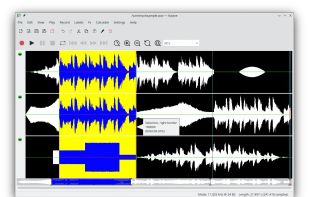
Kwave is a sound editor that can record to, play, open, and edit many file formats. Kwave makes it simple to edit audio in many ways.

Cost / License
- Free
- Open Source (GPL-2.0)
Application typeApplication types
 EU
EUPlatforms
- Linux
- Snapcraft
- Flathub
- Flatpak
- KDE Plasma
- Haiku


Features
Kwave News & Activities
Highlights All activities
Recent News
No news, maybe you know any news worth sharing?
Share a News Tip
Recent activities
- Shadow5964 | シャドウ liked Kwave
 audioexperience added Kwave as alternative to AudioMultiCut
 red1farah added Kwave as alternative to StudioWavePro
- Alaik updated Kwave
- Alaik liked Kwave


Kwave information
Developed by
 KDE
KDE Licensing
Open Source (GPL-2.0) and Free product.Alternatives
30 alternatives listedBadge
Get an embeddable badge for KwaveSupported Languages


Featured in Lists


Dotfiles, or my favorite tools
Hi there,
I'm here, after some time; and there are few of my fav. tools.
Sometimes I will mention few apps outside of the listing of Alternativeto, because there's a blooming tool paradise out on Github, Gitlab, Codeberg, etc...
Also, there are a few clipboard apps I enjoyed, like Clippy - written in language:vala.
Now, let's go for the tool tour!


KDE Applications
A list with 27 apps by Alaik without a description.
No comments or reviews, maybe you want to be first?