Keyviz AlternativesKeystroke Visualizers & Screen Casting Tools like Keyviz

Keyviz is described as 'Free and open-source tool to visualize your keystrokes and mouse actions in real-time' and is a popular keystroke visualizer in the development category. There are more than 10 alternatives to Keyviz for Windows, Mac, Linux, Web-based and SaaS. The best Keyviz alternative is SHARA. It's not free, so if you're looking for a free alternative, you could try Screenkey or Key'n'Stroke . Other great apps like Keyviz are YAKD, KeyCastr, Carnac and Show Me The Key.

Copy a direct link to this comment to your clipboard
Keyviz alternatives page was last updated

Alternatives list

  1. SHARA icon
     4 likes

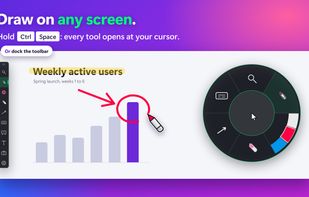
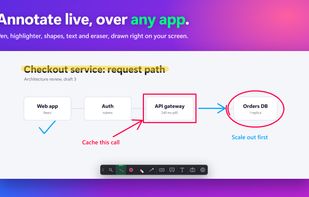
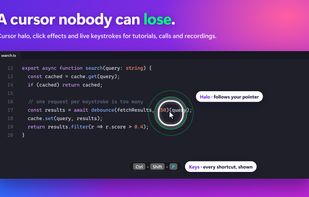
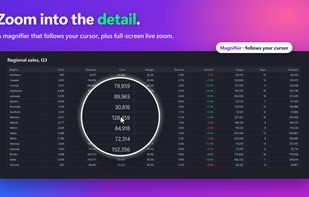
    Provides mouse pointer highlighting with animated glow and 3D tilt, lag-free click-through magnification with customizable zoom modes, and a sleek keystroke visualization overlay. Fully local, privacy-first utility for presentations, coding, streaming, and more on Windows.

    Cost / License

    • Paid
    • Proprietary

    Platforms

    • Windows
     
  2. Key'n'Stroke  icon
     15 likes

    Displays keystrokes, mouse clicks, cursor position, shortcuts, and special keys in a fully customizable overlay. Offers click-through mode, opacity, resizable window, history of pressed keys, high-dpi and multi-dpi screen support, and notification area icon.

    15 Key'n'Stroke alternatives

    Cost / License

    Alerts

    • Discontinued

    Platforms

    • Windows
     
  3. YAKD icon
     6 likes

    YAKD (Yet Another Key Displayer) is a lightweight, open-source Windows tool for displaying keyboard and mouse button presses on-screen, typically for use with screen recording and screen-casting. RTSS Rivatuner Statistics Server is supported.

    Cost / License

    Platforms

    • Windows
     
  4. Carnac icon
     28 likes

    A utility to give some insight into how you use your keyboard/.

    18 Carnac alternatives

    Cost / License

    • Free
    • Open Source

    Platforms

    • Windows
     
  5. “Keystroke Pro” visualizes single and combined keypresses in an unique and elegant way. It’s the perfect companion for capturing tutorials, ?recording screencasts and performing presentations.

    Cost / License

    • Paid
    • Proprietary

    Application type

    Platforms

    • Mac
     
  6. Keystrokes on screen, keyboard, mouse, draw on screen. Designed specifically for creating screencasts and tutorials. CSS Based keystroke on screen. Lots of predefined keystroke CSS themes. It's easy to create a theme yourself.

    Cost / License

    • Freemium
    • Proprietary

    Application type

    Platforms

    • Windows
     
  7. KeyPosé icon
     3 likes

    A Little utility that implements a global key logger which displays all shortcuts & keystrokes as you type on screen and with a semi-transparent overlay. This makes it very easy to show any shortcuts you use if you for example record a software demo.

    18 KeyPosé alternatives

    Cost / License

    • Free
    • Proprietary

    Application type

    Platforms

    • Windows
     
  8. KeyDrawer draws keypresses on the screen of your Mac with a style that matches your Mac's look and feel. It will make your tutorial videos, video streams and presentations look elegant and professional.

    Cost / License

    • Paid
    • Proprietary

    Application type

    Platforms

    • Mac
     
12 of 22 Keyviz alternatives