DiffPlug is a free text editor/differ and image viewer/differ. Purchasing a license allows you to diff other kinds of files such as Simulink.

KDiff3 is described as 'File and directory diff and merge tool' and is a very popular Diff Tool in the development category. There are more than 50 alternatives to KDiff3 for a variety of platforms, including Windows, Mac, Linux, Web-based and BSD apps. The best KDiff3 alternative is WinMerge, which is both free and Open Source. Other great apps like KDiff3 are Meld, Beyond Compare, P4Merge and Kaleidoscope.
DiffPlug is a free text editor/differ and image viewer/differ. Purchasing a license allows you to diff other kinds of files such as Simulink.

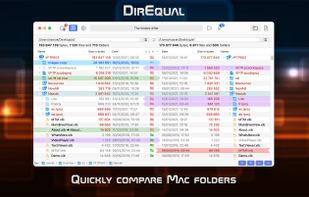
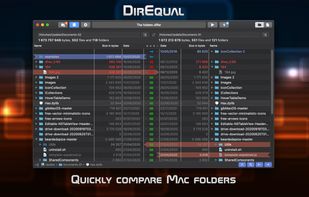
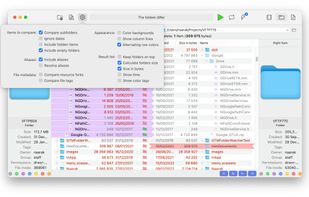
Perform detailed folder and file comparisons on Mac with side-by-side expandable trees, colour and icon indicators, content-based matching, manual synchronisation, filename templates, quick reload, tabbed interface, drag-and-drop, and intuitive visual controls.


GNU Diffutils is a package of several programs related to finding differences between files.


Easily compare and merge text files; compare doc, xls and pdf files; prepare comparison reports and printouts.

Visualize folders side-by-side and find immediately which files are different, colors help to understand the diff type. Colors identify older, modified and newer files.


DiffFork is a diff tool for Mac OS X. DiffFork can compare both folders and files, presenting differences in a visual format.

ECMerge is a comparison and synchronization tool with two and three-way merge for text and folders and difference on binary, text, images and folders, locally, via FTP/S, SFTP or in version controls. For Windows, Mac OS X, Solaris and Linux.


DiffMerge is a graphical file comparison program for Windows, Mac OS X and Unix, published by SourceGear.

AptDiff is a visual text / binary files comparison and merging utility for Windows. It is highly useful for web designers, software developers, and other professionals.


Allows to do quick comparison of files or some copied parts of the files. You can use all other powerful features of Notepad++ and plugins while comparison, such as sorting the lines, removing duplicates, highlighting some words, edit and then redo comparison of results right away.