ffscreencast is an ffmpeg screencast/desktop-recording tool for the command-line with video overlay and multi monitor support.


Kap is described as 'Open-source screen recorder built with Electron and designed to be easy to use but extensible' and is a Screen Recorder in the photos & graphics category. There are more than 50 alternatives to Kap for a variety of platforms, including Mac, Windows, Web-based, Linux and Google Chrome apps. The best Kap alternative is OBS Studio, which is both free and Open Source. Other great apps like Kap are ShareX, OpenScreen, ScreenArc and ScreenToGif.
ffscreencast is an ffmpeg screencast/desktop-recording tool for the command-line with video overlay and multi monitor support.


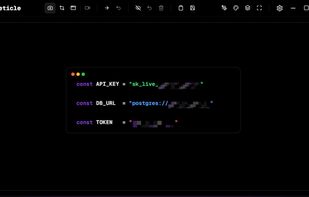
A macOS app for capturing, annotating and sharing screenshots. Quickly add comments, highlight what matters or blur any sensitive content. Upload screenshots to Google Drive or Dropbox. Copy screenshots to the clipboard and paste them directly into Slack, Skype, Jira, Trello and...
Hippo Video is an online video platform to create explainer videos, educational videos, how-tos, training videos, customer testimonials, video assignments, video tutorials, host videos and a video marketing platform.
Vov Screen Recorder is handy tool to record the computer screen, i.e., record the ongoing activities on the screen. Using Vov Screen Recorder, you can record your screen to create a how-to video to demonstrate working of a program, compile a products demo video for some client...

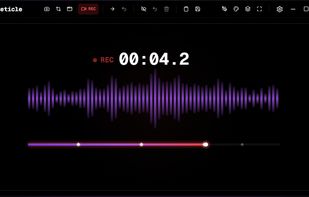
Nekorder is a lightweight, native macOS screen recorder designed for developers, content creators, and anyone who wants clean screen recordings without the bloat.


Free Online Screen Recorder - Record your screen and webcam. No download required. Protected by end-to-end encryption. Free to use on Windows, Mac, Linux, iOS, Android.


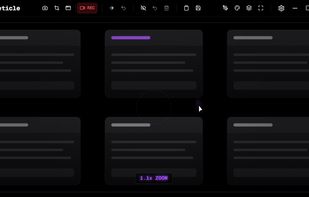
Beautiful Screen Recordings for Linux. Automatic zooms, no editing required.


Recordzilla is a screen recorder software that lets you capture video, audio and pictures of anything you see on your computer screen and save it as video AVI, WMV, Flash SWF, or Flash FLV.