K4DirStat Alternatives

K4DirStat is described as 'Fork of KDirStat , is a small utility program that sums up disk usage for directory trees, very much like the Unix 'du' command. It displays the disk space used up by a directory tree, both numerically and graphically' and is a disk usage analyzer in the system & hardware category. There are more than 50 alternatives to K4DirStat for a variety of platforms, including Windows, Mac, Linux, BSD and Flathub apps. The best K4DirStat alternative is WinDirStat, which is both free and Open Source. Other great apps like K4DirStat are WizTree, Baobab Disk Usage Analyzer, TreeSize and Filelight.

Copy a direct link to this comment to your clipboard
K4DirStat alternatives page was last updated

Alternatives list

  1. DiskMapper icon
     1 like

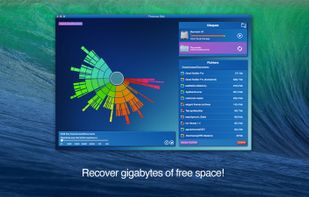
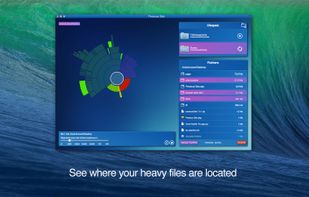
    "DiskMapper is a remarkable utility that frees up megabytes and megabytes of hard disk space - quickly and easily by showing you a useful, graphical, color-coded map of your hard disk. DiskMapper lets you quickly delete or compress programs and files you dont need or rarely...

    64 DiskMapper alternatives

    Cost / License

    • Paid
    • Proprietary

    Application type

    Platforms

    • Windows
     
  2. Help you to view at a glance all the folders, files inside them and the space occupied by them on your system

    Cost / License

    • Free
    • Proprietary

    Application type

    Platforms

    • Windows
     
  3. StorageRadar maps your disk, shows blocked paths instead of hiding them, lets you dry-run cleanup, and compares what changed over time. Scan data stays local, while analytics and diagnostics remain separately controllable in settings.

    51 StorageRader alternatives

    Cost / License

    • Freemium
    • Proprietary

    Application type

    Platforms

    • Mac
     
  4.  Like

    A disk usage calculator for Linux.

    Cost / License

    Application type

    Platforms

    • Linux
     
  5. Disk Space Finder helps visualize your data to find wasted space. It shows you a graphical diagram of what is takeing up your space.

    Cost / License

    • Free
    • Proprietary

    Application type

    Platforms

    • Windows
     
  6. Disk Usage Analyzer - a free program to analyze disk space of the computer. It helps you to quickly and easily determine the size of folders on your computer, as well as the number of files they contain.

    Cost / License

    • Free
    • Proprietary

    Application type

    Platforms

    • Windows
     
  7. O&O DiskStat icon
     1 like

    O&O DiskStat is a high-power tool for analyzing the used disk space on your storage volumes. With an easy-to-use interface based on the design of the Windows Explorer, you can take a closer look at the file and folder structure of your internal and external drives.

    Cost / License

    • Paid
    • Proprietary

    Application type

    Platforms

    • Windows
     
  8. diskonaut icon
     Like

    diskonaut is a terminal disk space navigator. Given a path on your hard-drive (which could also be the root path, eg. /). diskonaut scans it and indexes its metadata to memory so that you could explore its contents (even while still scanning!).

    Cost / License

    • Free
    • Open Source (MIT)

    Application type

    Platforms

    • Mac
    • Windows
    • Linux
     
  9. Disk Recon is a disk space utility that reveals all the crucial information that you need to find out where all your disk space has gone and how you can recover it.

    Cost / License

    • Paid
    • Proprietary

    Application type

    Platforms

    • Windows
     
  10. FSV icon
     Like

    fsv (pronounced eff-ess-vee) is a file system visualizer in cyberspace. It lays out files and directories in three dimensions, geometrically representing the file system hierarchy to allow visual overview and analysis.

    Cost / License

    • Free
    • Proprietary

    Platforms

    • Linux
     
  11.  Like

    This tool enables you to get a usage piechart from your FTP service, showing which directories are taking the most space, and to drill down into those directories to see which are the largest files. Simply double-click on a pie segment to drill down!

    Cost / License

    • Free Personal
    • Proprietary

    Application type

    Platforms

    • Windows
     
You are at page 6 of K4DirStat alternatives