





JOPDF
7 likes
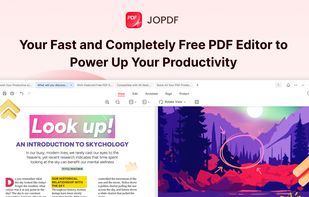
JOPDF is a 100% free PDF editor for Windows, Mac, and Linux. Edit, compress, merge, convert and annotate PDFs with no watermark or signup required.

Cost / License
- Free
- Proprietary
Application typeApplication types
Platforms
- Windows
- Mac
- Linux


Features
Highlights All activities
JOPDF News & Activities
Recent activities
 Tarek Hasan added JOPDF as alternative to Open PDF Studio
 Keith added JOPDF as alternative to KanzonasPDF
 cel added JOPDF as alternative to word-sys's PDF Editor
 Kamil-Bilir added JOPDF as alternative to PDF Editor Pro for Windows
 c17s5qhu added JOPDF as alternative to rmfakecloud
 Nettongia added JOPDF as alternative to Nettongia PDF Editor




Licensing
Proprietary and Free product.Alternatives
65 alternatives listedBadge
Get an embeddable badge for JOPDFSupported Languages


Comments and Reviews
Great, way more convenient than online editors. No limits and no junk ads. Simple and user-friendly. Thanks.