





KanzonasPDF
Like
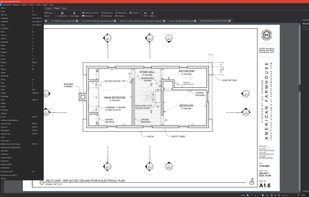
Open-source Windows PDF editor for construction drawings, with fast CAD-sheet navigation, calibrated measurement and markup tools. It also edits text, images and vector objects; supports forms, OCR, signatures, redaction, page management, exports and portable use.

Cost / License
- Free
- Open Source (AGPL-3.0)
Application type
Platforms
- Windows


Features
Highlights All activities
KanzonasPDF News & Activities
Recent activities
- Keith added KanzonasPDF
- Mauricio B. Holguin updated KanzonasPDF
- Keith updated KanzonasPDF
 Keith added KanzonasPDF as alternative to PDF-XChange Editor, Adobe Acrobat DC, PDF-XChange Viewer, Master PDF Editor and 42 more


Developed by
 keithlyding
 Licensing
Open Source (AGPL-3.0) and Free product.Written in
Alternatives
46 alternatives listedBadge
Get an embeddable badge for KanzonasPDFSupported Languages

AlternativeTo Category
Office & ProductivityGitHub repository
- 1 Stars
- 0 Forks
- 0 Open Issues
- Updated

No comments or reviews, maybe you want to be first?