Jing Alternatives

Jing is described as 'Whether for work, home, or play, Jing gives you the ability to create basic visual elements and share them with others' and is a very popular screenshot capture tool in the photos & graphics category. There are more than 100 alternatives to Jing for a variety of platforms, including Windows, Mac, Web-based, Linux and Google Chrome apps. The best Jing alternative is ShareX, which is both free and Open Source. Other great apps like Jing are Greenshot, SimpleScreenRecorder, FastStone Capture and PicPick.

Copy a direct link to this comment to your clipboard
Jing alternatives page was last updated

Alternatives list

  1. SCREEN2EXE icon
     6 likes
    Copy a direct link to this comment to your clipboard

    SCREEN2EXE is a free utility designed in order to create instant screen demos with the highest compression ratio in the world!

    Cost / License

    • Free
    • Proprietary

    Application type

    Platforms

    • Windows
     
  2. Copy a direct link to this comment to your clipboard

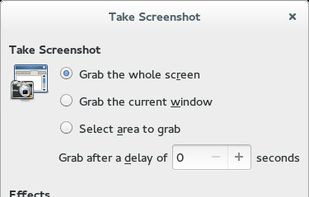
    GNOME Screenshot is a utility used in the GNOME desktop environment for taking screenshots. It was part of the GNOME Utilities (gnome-utils) package, but was split into its own package for the 3.3.1 version in 2011.

    Cost / License

    Application type

    Platforms

    • Linux
    • FreeBSD
    • GNOME
     
  3. xvidcap icon
     3 likes
    Copy a direct link to this comment to your clipboard

    A small tool to capture things going on on an X-Windows display to either individual frames or an MPEG video similar to tools such as Lotus ScreenCam or Camtasia.

    Cost / License

    • Free
    • Open Source

    Alerts

    • Discontinued

    Platforms

    • Linux
     
  4. RecordAnyVid icon
     1 like
    Copy a direct link to this comment to your clipboard

    It's an easy-to-use screen recorder software for Windows and Mac computers. With it, you can easily select the recording area such as screen or customized size you like.

    Cost / License

    • Pay once
    • Proprietary

    Application type

    Platforms

    • Mac
    • Windows
     
  5. VClip icon
     4 likes
    Copy a direct link to this comment to your clipboard

    Is a simple tool to capture short video clip + loopback audio (speaker sound) from your screen pixels and speaker waves. VClip can output to many format (MP4, WEBM, OGG, AVI, GIF), and comes with 3 fps options (15,25,30).

    Cost / License

    • Free
    • Proprietary

    Platforms

    • Windows
     
  6. Copy a direct link to this comment to your clipboard

    Grab screenshots in a stealth mode, and start the capturing process at a user-defined time with the help of this simple to use and efficient software tool.

    Cost / License

    • Free
    • Proprietary

    Platforms

    • Windows
     
  7. Copy a direct link to this comment to your clipboard

    Captures the contents of the screen with a single keystroke. The captured screen can then be sent to the printer, or saved to disk as a file in 6 different graphics file formats. 15 languages.

    Cost / License

    • Freemium (Pay once)
    • Proprietary

    Application type

    Platforms

    • Windows
     
  8. Copy a direct link to this comment to your clipboard

    Capture screen and edit screenshot with Annotation Pilot.

    This screen capture software allows you to add text and graphics to your screenshot, save your screenshot as a graphic file or send it by email.

    With Annotation Pilot you can: Send a photo with annotations to your frie.

    Cost / License

    • Free
    • Proprietary

    Application type

    Platforms

    • Windows
     
  9. SimpleCap icon
     1 like
    Copy a direct link to this comment to your clipboard

    Small and free screenshot app for Mac that offers custom area and resolution presets, and much more.

    Cost / License

    • Free
    • Open Source

    Application type

    Alerts

    • Discontinued

    Platforms

    • Mac
     
  10. Copy a direct link to this comment to your clipboard

    Using UVScreenCamera you can easily create animated demo or tutorials by recording your computer's desktop activity, including all mouse movements, window graphics, mouse clicks and everything else you see on screen.

    Cost / License

    • Freemium
    • Proprietary

    Platforms

    • Windows
     
You are at page 11 of Jing alternatives