
InputConfig icon
InputConfig icon

InputConfig

InputConfig is a free controller mapper for Mac. It turns a PS5, Xbox or Switch controller, a MIDI keyboard, a spare mouse, your trackpad, or a knock on the MacBook's case into a full keyboard and mouse for your Mac.
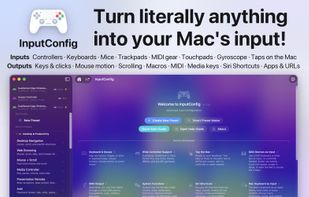
InputConfig screenshot 1

Cost / License

  • Free
  • Open Source (MIT)

Application type

Platforms

  • Mac
1like
0articles
Save

Features

Properties

  1.  Privacy focused
  2.  Lightweight
  3.  Configurable

Features

  1.  No registration required
  2.  Works Offline
  3.  No Tracking
  4.  Ad-free
  5.  Dark Mode
  6.  Controller Support
  7.  Key Mapping
  8.  MIDI Keyboard Input
  9.  Mouse Remapping
  10.  Gamepad Mapping
  11.  Input Method

InputConfig News & Activities

Highlights All activities

Recent activities

InputConfig information

AlternativeTo Categories

System & Hardware, OS & Utilities, Gaming Software

GitHub repository

  •  67 Stars
  •  5 Forks
  •  3 Open Issues
  •   Updated  
View on GitHub
InputConfig was added to AlternativeTo by Paul on and this page was last updated .

No comments or reviews, maybe you want to be first?

Official Links

What is InputConfig?

InputConfig turns any input device, such as a game controller or a MIDI keyboard, into a full keyboard and mouse for your Mac. Map every button, trigger, stick, key, pad, knob, and tap, then control macOS and every app with the device in your hands.

It is built for accessibility first. If a game controller or a MIDI pad is easier to hold and press than a keyboard and mouse, InputConfig makes it a complete, comfortable way to run your computer. The same mappings are just as useful for gaming, media, and creative work.

Every mapping works at the system level, so it runs in every app with nothing extra to install.

  • The ultimate gamepad mapper: map any button, trigger, or stick to keyboard keys, mouse buttons, mouse movement, or scroll
  • Works with, DualSense Edge, DualSense, DualShock 4, Xbox, Switch Pro, Joy-Cons, Stadia, 8BitDo, Steam Controller, & any MFi or HID gamepad
  • PlayStation Access Controller and Xbox Adaptive Controller, with the switches and pedals plugged into them
  • MIDI devices as input: bind notes, pads, knobs, the pitch wheel, the sustain pedal, and aftertouch to anything, no game controller needed
  • Your Mac as an input: every key, including modifiers and media keys, plus clicks, scroll gestures, and Force Touch on the trackpad or mouse
  • Tap the Mac: knock on the palm rest and your MacBook's motion sensor fires any output, up to five taps, with live calibration
  • Screen regions: draw areas of any display that act as buttons while the pointer is inside them
  • System Function outputs: volume, mute, media keys, brightness, Mission Control, Launchpad, Spotlight, lock screen, and the screenshot toolbar
  • Run any Siri Shortcut by name, open any app, or open any URL from a single press
  • Accessibility outputs: Start Dictation, Speak Selection, Zoom On / Off, Zoom In and Out
  • System volume as a fader: the Mac's volume follows a knob 1-to-1
  • DualSense Edge extras: back paddles, FN buttons, and mute are all bindable, over USB and Bluetooth
  • Scan to bind: press a control and it maps on the spot
  • Emergency stop: one shortcut halts everything and releases every held key, button, and note
  • Hold and double-tap actions: one button carries three actions with adjustable timing
  • Chords: a control does different things depending on which buttons are held with it
  • Variable sensitivity with Linear, Smooth, and Aggressive curves, set per binding
  • Deadzone calibration with a live joystick plot
  • Toggle mode: press once to latch on, press again to release
  • Macros with custom timing, plus Turbo rapid-fire at any rate
  • Stacked outputs: one press can fire a key, a click, a MIDI note, and a spoken phrase at once
  • Touchpad as a mouse on DualSense and DualShock 4, with multi-finger control and tap zones
  • Gyro aim: tilt the controller to move the mouse in any app, with a laser-pointer feel
  • One-stick driving: steer, accelerate, brake, and shift from a single stick
  • Haptic feedback on press, with adjustable strength and duration
