Inkscape AlternativesOnly apps categorised as Vector Graphic Apps

The best Vector Graphic alternative to Inkscape is Linearity Curve, which is free. If that doesn't suit you, our users have ranked more than 100 alternatives to Inkscape and loads of them are Vector Graphic Apps so hopefully you can find a suitable replacement. Other interesting Vector Graphic App alternatives to Inkscape are Adobe Illustrator, Affinity, LibreOffice - Draw and Graphite.

filter to find the best alternatives

Inkscape alternatives are mainly Vector Graphic Apps, but if you're looking for Graphic Design Tools or Color Picker Tools you can filter on that. Other popular filters include Android, iPad, Free, Online, Open Source, Android + Free and Mac. You can also filter by region, for example EU-based alternatives if you prefer software developed in the European Union. These are just examples - use the filter bar below to find more specific alternatives to Inkscape.
Copy a direct link to this comment to your clipboard
Get a badge for your siteInkscape alternatives page was last updated

Alternatives list

  1. Linearity Curve icon
     355 likes

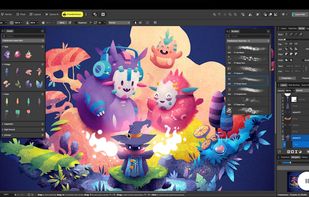
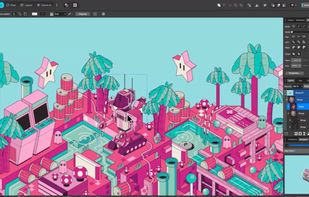
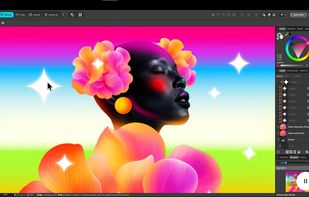
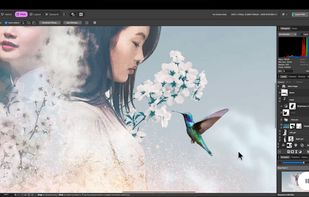
    Desktop vector design for Mac with tools for complex illustrations, SVG conversion, Auto Trace, AI-powered background removal, advanced typography, layers, artboards, gradient support, real-time collaboration, and seamless compatibility with design files.

    40 Linearity Curve alternatives

    Cost / License

    • Freemium
    • Proprietary

    Platforms

    • Mac
    • iPhone
    • iPad
     
    |
    3
    Linearity Curve vs Inkscape Comments
    Guest
    Negative
    3

    Because you only get 10 free “curves” - it’s misleading

    Volconon
    Negative
    3

    Requires Subscription to Export in SVG, or go beyond 1024x1024 in the formats you are allowed!!!

    Guest
    Positive
    -4

    ease of use, low learning curve, active development and support

    • Linearity Curve is Freemium and ProprietaryInkscape is Free and Open Source
  2. This vector graphics editor offers sophisticated tools for drawing, typography, and color management. Equipped with powerful features like multiple art boards, Blob Brush for vector painting, and transparency in gradients, it supports designs for print, web, interactive, motion, and mobile platforms.

    99 Adobe Illustrator alternatives

    Cost / License

    • Paid
    • Proprietary

    Platforms

    • Mac
    • Windows
    • Online
    • iPad
     
    |
    3
    Adobe Illustrator vs Inkscape Comments
    GarretJones136
    Positive
    -7

    No words to say how good it is.

    Guest
    Positive
    -6

    Clean user interface makes up for good workflow.

    Guest
    Positive
    -8

    Its a very reliable service-- i would consider it better than inkscape

    • Adobe Illustrator is Paid and ProprietaryInkscape is Free and Open Source
  3. Affinity icon
     88 likes

    Unified design solution merging advanced photo, vector, and layout tools for seamless workflow, non-destructive editing, RAW support, batch processing, AI enhancements, GPU acceleration, file compatibility, cloud asset integration, and tailored workspace options.

    94 Affinity alternatives

    Cost / License

    • Freemium
    • Proprietary

    Platforms

    • Mac
    • Windows
     
  4. Draw lets you produce anything from a quick sketch to a complex plan, and gives you the means to communicate with graphics and diagrams. With a maximum page size of 300cm by 300cm, Draw is a an excellent package for producing technical drawings, general posters, and much else.

    104 LibreOffice - Draw alternatives

    Cost / License

    Platforms

    • Mac
    • Windows
    • Linux
    • BSD
    • PortableApps.com
    • Flathub
     
    |
    4
    LibreOffice - Draw vs Inkscape Comments
    Guest
    Negative
    15

    LibreOffice Draw is a very simple drawing suite. It may be sufficient for many, but not sufficient to be declared an alternative to InkScape.

    Guest
    Negative
    7

    LibreOffice draw is good for schemes, but not for what Inkscape does - Inkscape is a graphic design tool, not a scheme creator.

    Sebastian
    Positive
    0

    As good as Inkscape and its FOSS.

    3 of 4 comments
    • LibreOffice - Draw is Free and Open SourceInkscape is also Free and Open Source
    • LibreOffice - Draw is a Diagram Editor Inkscape is a Vector Graphic App
  5. Graphite icon
     112 likes

    Vector graphics and animation editor featuring free, open source access, nondestructive workflow, node-based generative design, layer compositing, browser use, and upcoming support for photo editing, painting, publishing, VFX, and desktop apps in alpha release.

    56 Graphite alternatives

    Cost / License

    Platforms

    • Online
     
  6. GodSVG icon
     39 likes

    Interactive vector editor built with Godot for creating or editing SVG files, featuring UI-based element manipulation, live code updates, direct markup access, no added metadata, minimal abstraction, clean output, and intended use on desktop plus mobile devices.

    Cost / License

    • Free
    • Open Source (MIT)

    Application type

    Platforms

    • Mac
    • Windows
    • Linux
    • Online
    • Android
     
    |
    1
    GodSVG vs Inkscape Comments
    Zach G
    Negative
    1

    GodSVG is not much like Inkscape - it's a very limited interface for editing svg code, but not really a tool for illustration, design or text. It seems like a nice tool, just not a good alternative to Inkscape.

    • GodSVG is Free and Open SourceInkscape is also Free and Open Source
  7. Suite featuring tools for vector illustration, image editing, page layout, bitmap tracing to convert bitmaps to vectors, asset browsing, web page creation, screen capture, file compatibility, color management, and professional multi-page document design.

    91 CorelDRAW Graphics Suite alternatives

    Cost / License

    • Paid
    • Proprietary

    Platforms

    • Mac
    • Windows
    • Online
     
  8. Karbon icon
     58 likes

    Karbon is a vector drawing application with a user interface that is easy to use, highly customizable and extensible. That makes Karbon a great application for users starting to explore the world of vector graphics as well as for artists wanting to create breathtaking vector art.

    45 Karbon alternatives

    Cost / License

    Platforms

    • Linux
    • KDE Plasma
    • Flathub
    • Flatpak
     
    |
    1
    Karbon vs Inkscape Comments
    Guest
    Positive
    -1

    Karbon and Inkscape are both great and are the only alternatives to each other that support the same wide range of operating systems.

    • Karbon is Free and Open SourceInkscape is also Free and Open Source
  9. Boxy SVG icon
     51 likes

    Vector editor for browser with transforms, symbol management, boolean ops, freehand and Bezier paths, advanced shape tools, gradients, raster import/export, grouping, Google Fonts, customizable shortcuts, and HTML5 serialization for diverse designs.

    Cost / License

    • Paid
    • Proprietary

    Platforms

    • Mac
    • Linux
    • Online
    • Android
    • Flathub
    • Linux Mobile
     
    |
    2
    Boxy SVG vs Inkscape Comments
    Guest
    Positive
    0

    I can rotate the picture better than inkscape

    Guest
    Positive
    -1

    Super intuitive for creating, and manipulating vector graphics. Solved in 10 min. what others couldn't after hours.

    • Boxy SVG is Paid and ProprietaryInkscape is Free and Open Source
  10. Concepts icon
     34 likes

    Concepts is the digital design sketchbook of the future. It’s powerful, flexible and smart, so you can go from quick sketches to beautiful and precise illustrations in a single app. Enhance your creative capabilities with our infinite canvas, flexible multi-touch shape guides...

    51 Concepts alternatives

    Cost / License

    • Freemium
    • Proprietary

    Platforms

    • Windows
    • Android
    • iPhone
    • Chrome OS
    • Android Tablet
    • iPad
     
  11. Vectr icon
     93 likes

    Free vector graphics editor offering real-time collaborative editing, browser and cross-platform desktop support, scalable design tools, AI, EPS, SVG, PNG, JPEG import/export, grouping and shape manipulation, and intuitive pen and freehand drawing options.

    115 Vectr alternatives

    Cost / License

    • Freemium
    • Proprietary

    Platforms

    • Online
     
    |
    3
    Vectr vs Inkscape Comments
    Guest
    Negative
    5

    Vectr requires an Internet connection.

    Guest
    Negative
    2

    Inkscape shows much more intuitive interface and workflow, as well as much more complex capabilities.

    temfrong
    Positive
    -10

    It has better ui, and more easy to use

    • Vectr is Freemium and ProprietaryInkscape is Free and Open Source
12 of 75 Inkscape alternatives