HWiNFO (32/64) Alternatives

HWiNFO (32/64) is described as 'Professional Windows diagnostic tool offering real-time hardware monitoring and comprehensive device information, ideal for experts and integrators' and is a very popular system information utility in the os & utilities category. There are more than 100 alternatives to HWiNFO (32/64) for a variety of platforms, including Windows, Linux, Mac, Android and iPhone apps. The best HWiNFO (32/64) alternative is CPU-Z, which is free. Other great apps like HWiNFO (32/64) are Speccy, GPU-Z, Open Hardware Monitor and Libre Hardware Monitor.

filter to find the best alternatives

HWiNFO (32/64) alternatives are mainly System Information Utilities, but if you're looking for Benchmark Tools or Network Monitors you can filter on that. Other popular filters include Mac, Linux, Open Source, Android, Mac + System Information and Linux + System Information. These are just examples - use the filter bar below to find more specific alternatives to HWiNFO (32/64).
Copy a direct link to this comment to your clipboard
HWiNFO (32/64) alternatives page was last updated

Alternatives list

  1. Copy a direct link to this comment to your clipboard

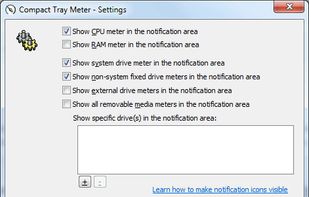
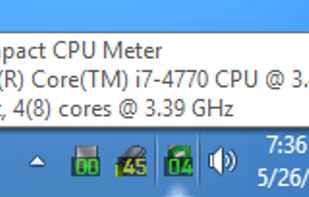
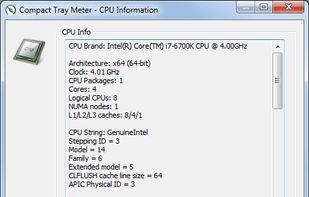
    This compact utility displays real-time CPU, RAM and disk drives usage meters right on the taskbar notification area, or next to the system clock, that is always visible.
    Cost / License

    • Free
    • Proprietary

    Platforms

    • Windows
     
  2. UserDiag icon
     1 like
    Copy a direct link to this comment to your clipboard

    UserDiag is a PC diagnostic tool that allows you to explore detailed information about your device. With it, you can easily check the overall health of your computer and get advice if any issues are identified.

    Cost / License

    • Free
    • Proprietary

    Platforms

    • Windows
     
  3. Systempal icon
     1 like
    Copy a direct link to this comment to your clipboard

    SystemPal is becoming an ALL-IN-ONE app. It is the best tool to monitor your memory/CPU usage status, CPU temperature and fan speed, network speed. It also provides a tool kit including mini music player, screen shot utility, memory cleaner.

    49 Systempal alternatives

    Cost / License

    • Paid
    • Proprietary

    Platforms

    • Mac
     
  4. Copy a direct link to this comment to your clipboard

    Client application for the OpenGL hardware capability database. This tool detects, displays and uploads OpenGL hardware reports to the OpenGL hardware database at http://opengl.gpuinfo.org.

    5 The OpenGL Hardware Capability Viewer alternatives

    Cost / License

    • Free
    • Open Source

    Platforms

    • Mac
    • Windows
    • Linux
     
  5. Pluto HUD icon
     1 like
    Copy a direct link to this comment to your clipboard

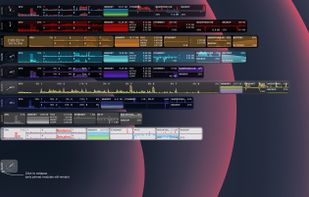
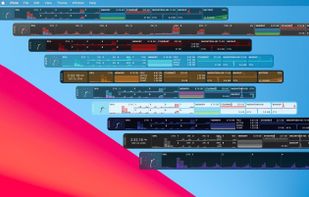
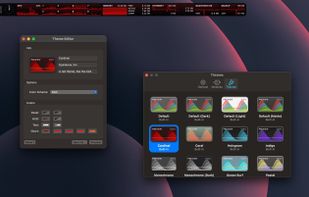
    Pluto is a highly refined and customizable at-a-glance system monitor for your Mac. Keep track of what's going on behind the scenes without dropping what you're currently doing.

    Cost / License

    • Pay once
    • Proprietary

    Platforms

    • Mac
     
  6. gatotray icon
     4 likes
    Copy a direct link to this comment to your clipboard

    gatotray is a tiny CPU monitor displaying several stats graphically (usage, temperature, frequency) in small space, and tight on resources.

    Cost / License

    • Free
    • Open Source

    Platforms

    • Linux
     
  7. Copy a direct link to this comment to your clipboard

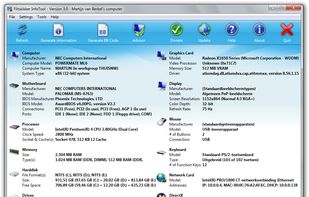
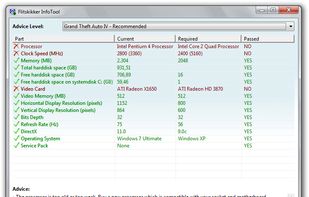
    Flitskikker InfoTool offers you essential information about your system. Afterwards, you can save it as a text file, or BB Code to share on forums. Most people can help you better if you share your system information with them. Now you can do this easily with this free utility.
    Cost / License

    • Free
    • Proprietary

    Platforms

    • Windows
     
  8. Copy a direct link to this comment to your clipboard

    cinnamon-cpufreq-applet - Port of Gnome 3 CPUFreq applet to Cinnamon - with some fixes.

    Cost / License

    • Free
    • Open Source

    Platforms

    • Linux
    • Cinnamon
    • GNOME
     
    |
    1
    Comments about CPU Frequency Selector as an Alternative to HWiNFO (32/64)
    Guest
    Negative
    -1

    HWiNFO is a much detailed specification of hardware and more accurate.

    Review by a new / low-activity user.
    HWiNFO (32/64) Icon
    CPU Frequency Selector icon
    • CPU Frequency Selector is Free and Open SourceHWiNFO (32/64) is Free Personal and Proprietary
  9. Copy a direct link to this comment to your clipboard

    A free, simple and lightweight app for monitoring memory timings on Ryzen platform.

    Cost / License

    • Free
    • Open Source

    Platforms

    • Windows
     
  10. Copy a direct link to this comment to your clipboard

    A software program which displays information about the current OpenGL 3D accelerator and new Vulkan 3D API. This program displays the vendor name, the version implemented, the renderer name and the extensions of the current OpenGL 3D accelerator.

    Cost / License

    • Free
    • Proprietary

    Platforms

    • Windows
    • Android
    • iPhone
    • iPad
     
  11. Copy a direct link to this comment to your clipboard

    Network Inventory Advisor audits all network software and hardware simply and efficiently. It automatically discovers all your network assets (Windows, Mac OS, Linux, SNMP-powered devices & more), scans them and builds flexible network inventory reports.

    44 Network Inventory Advisor alternatives

    Cost / License

    • Pay once
    • Proprietary

    Application type

    Platforms

    • Windows
     
  12. Copy a direct link to this comment to your clipboard

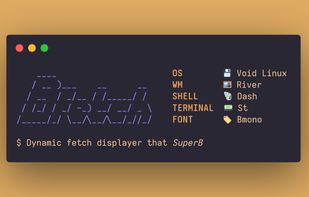
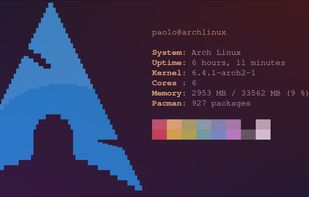
    ASCII art of Dilbert is taken from the Kakoune text editor ASCII art of Alice, PHB is taken from Christopher Johnson's collection ASCII art of the Wolf is taken from asciiart.eu.

    Cost / License

    • Free
    • Open Source

    Platforms

    • Linux
    • BSD
     
You are at page 8 of HWiNFO (32/64) alternatives