
Houre icon
Houre icon

Houre

 Like

Capture notes in a chat-like feed, then organize them with projects and tags or turn them into tasks with reminders. Device-side encryption, offline editing, full-text search, attachments and end-to-end encrypted project sharing keep notes available and private.
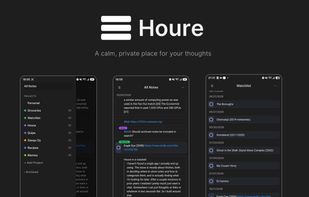
Houre screenshot 1

Cost / License

  • Freemium (Subscription)
  • Proprietary

Application type

Since

  • New

Updated

  • Updated Nov 2026

Platforms

  • Windows
  • Linux
  • Android
  • iPhone
  • iPad
0likes
0articles
Save

Features

Properties

Features

Highlights All activities

Houre News & Activities

Recent activities

  • Jani-Mustonen added Houre
  • Standard Notes icon
    Mauricio B. Holguin added Houre as alternative to Standard Notes, Strflow, Notesnook, flomo and 29 more
  • Mauricio B. Holguin updated Houre
  • Mauricio B. Holguin updated Houre

Houre information

  • Developed by

    FI flagSeequ
  • Licensing

    Proprietary and Freemium product.
  • Pricing

    Subscription that costs $3 per month + free version with limited functionality.
  • Alternatives

    33 alternatives listed
  • Badge

    Get an embeddable badge for Houre
  • Supported Languages

    • English
    • Finnish

AlternativeTo Categories

Office & Productivity, Security & Privacy

Apple AppStore

  •   Updated 
  •   0 avg rating
View in AppStore

Popular alternatives

View all
Houre was added to AlternativeTo by Jani-Mustonen on and this page was last updated .

No comments or reviews, maybe you want to be first?

Official Links

What is Houre?

Houre is an end-to-end encrypted note-taking app built around a single chronological feed. Instead of opening a blank document, you write into a stream that works like texting yourself: type a thought, send it, and it lands at the bottom of the feed with your earlier notes above it.

Notes can be grouped into color-coded projects, linked with inline #tags, and turned into tasks tracked in Todo and Done lists. It also supports reminders, basic formatting (headings, lists, quotes, bold, italics and code), photo attachments, full-text search, and capturing text or links from other apps through the share menu. Everything works offline and syncs when you reconnect.

Notes are encrypted on the device before they leave, so the server only stores ciphertext. Projects can be shared by email invitation for real-time collaboration while staying end-to-end encrypted, with key fingerprints to verify invitations. The free plan works offline on a single device, while the paid plan adds sync across devices, your own shared projects and 5 GB of storage.